6 Best Restaurant Digital Signage Platforms in 2026

Published On: September 29th, 2026
Table of Content

Quick Answer

The best restaurant digital signage software in 2026 includes Quantic POS, ScreenCloud, OptiSigns, Yodeck, NoviSign, and Mvix. The right platform depends on your restaurant’s needs, including digital menu boards, content scheduling, multi-location management, POS integration, screen control, and promotional displays.

Key Takeaways

  • Quantic POS is a strong choice for restaurants that want digital signage alongside their POS ecosystem.
  • ScreenCloud suits restaurants that need broad integrations and centralized screen management.
  • OptiSigns offers customizable templates and flexible digital signage management.
  • Yodeck is a practical option for businesses looking for straightforward screen management.
  • NoviSign focuses heavily on digital menu boards and restaurant-specific signage workflows.
  • Mvix is designed for organizations that need centralized content management and advanced scheduling.
  • Before choosing software, restaurants should evaluate POS integration, dayparting, multi-screen management, ease of content updates, hardware compatibility, and pricing.

What Is Restaurant Digital Signage?

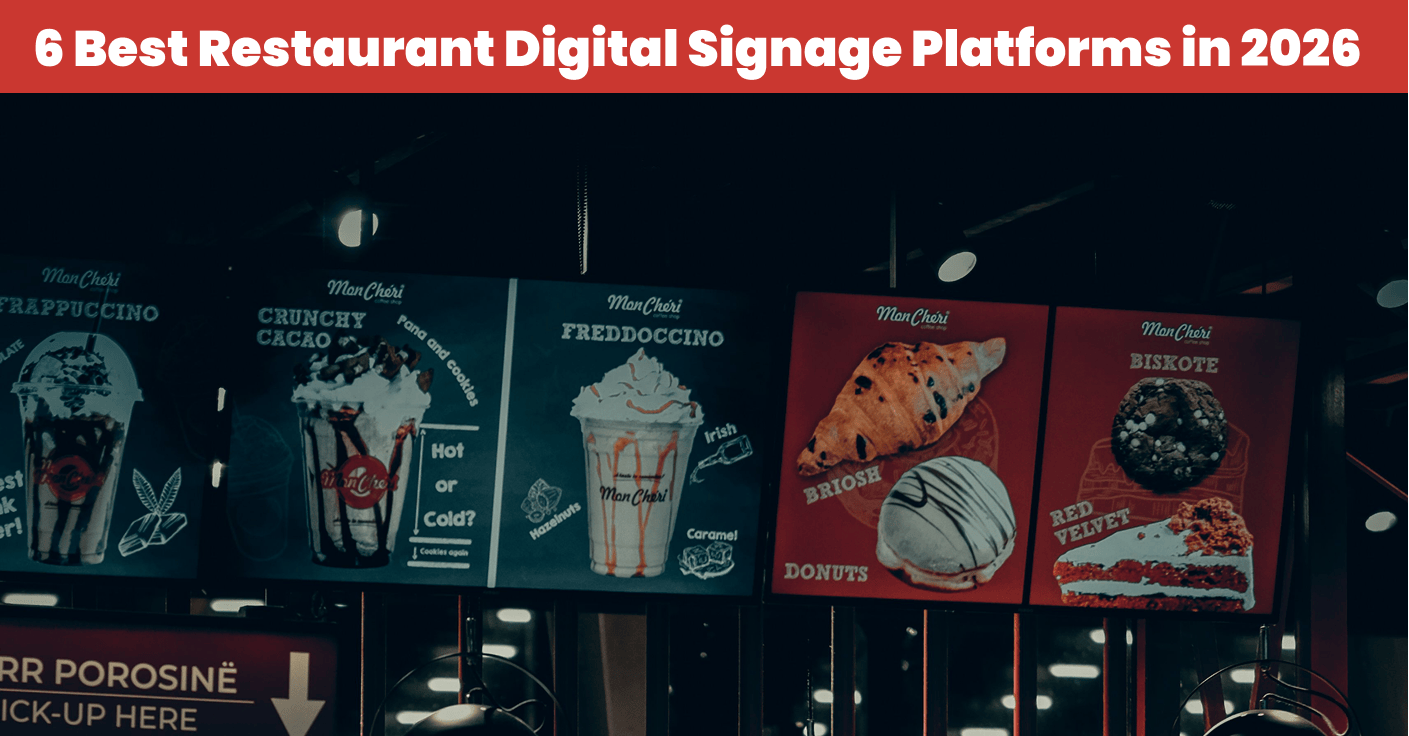
Restaurant digital signage is a software and display technology that helps restaurants display digital menus, special announcements, promotions, branding, and important content on screen.

Now you don’t need to rely on printed menus and posters for restaurant operations. You can easily use digital menu boards to change content remotely, schedule various menus, and promote various products and offers.

For example, you can display:

  • Combo deals
  • Breakfast menus
  • Lunch menus
  • Dinner menus
  • Happy hour promotions
  • Promotional videos
  • Brand messaging
  • Limited-time offers
  • Seasonal promotions

6 Best Restaurant Digital Signage Platforms in 2026

Software Best For Key Strength Pricing
Quantic POS Restaurants wanting POS + signage Integrated restaurant technology ecosystem Contact Quantic
ScreenCloud Multi-location businesses Integrations and centralized management From $20/screen/month
OptiSigns Customizable signage Templates and customization From $10/screen/month
Yodeck Straightforward signage management Easy content scheduling From $8/screen/month
NoviSign Digital menu boards Restaurant-focused menu displays From $14/screen/month
Mvix Advanced content management Scheduling and centralized control Custom/varies
quantic logo

1. Quantic POS – Best for Restaurants Combining POS and Digital Signage

Quantic is a well-known cloud-based POS platform that combines POS capabilities with digital signage designed for customer-facing displays. Quantic’s digital signage helps restaurants turn screens into promotional and menu display spaces. Its capabilities divide the screen into three sections for different content.  

Quantic POS also supports restaurant-specific features such as CDS, KDS, kiosks, reservations, waitlist management, coursing, bar tabs, discounts, and promotions, making it a valuable option for restaurants looking for a standalone signage solution.


Quantic Pricing

Quantic currently offers the following public pricing:

Plan Price Best For
Digital Signage Custom Pricing Restaurants and retail businesses displaying menus, promotions, slideshows, and videos
Multi-Screen Deployment Custom pricing Businesses managing multiple digital signage screens
Enterprise / Custom Contact Quantic Larger or specialized digital signage deployments

Key Features

  • Digital menu boards – They display prices, featured dishes, menu items, and other important customer-facing information on digital display boards.
  • Customizable display layout – It lets you customize the display layout for promotions, menus, images, and other content.
  • Promotional content – It helps businesses display promotions, feature products, offers, and other restaurant-related content.
  • Slideshow support – It rotates multiple promotional content and images, menus, and branded visuals across all displays.
  • Three content sections – It divides the screen into three sections that help businesses display different content types.
Key Feature Descriptions
Digital Menu Boards Display menu items, prices, featured dishes, and other guest-facing information.
Promotional Content Highlight specials, promotions, limited-time offers, and featured products.
Customizable Display Layouts Organize menus, promotions, images, and other content on screen.
Up to Three Content Sections Divide a screen into up to three sections for different content types.
Slideshow Support Rotate promotional images, menus, and branded visuals.
Restaurant-Focused Signage Designed for restaurant menus, promotions, and customer communication.
Customer-Facing Displays Present relevant information to guests throughout their dining experience.
Branded Content Showcase restaurant branding, imagery, announcements, and visual content.
Flexible Screen Content Combine multiple content types on a single display.
POS Integration Digital signage is part of Quantic’s broader restaurant technology ecosystem.
Restaurant Technology Ecosystem Connect digital signage with POS and other restaurant solutions such as KDS, CDS, and self-ordering.

Who Is Quantic POS Best For?

Quantic POS is a strong choice for restaurants that need customer-facing technology along with a POS system within the restaurant technology ecosystem. It is best for cafes, restaurants, QSRs, bars, and more.

It can be a suitable option for businesses looking for:

  • POS and digital signage in one restaurant technology ecosystem
  • Digital menu boards
  • Promotional and branded displays
  • Customizable screen layouts
  • Customer-facing display technology
  • Restaurant-specific POS capabilities
  • KDS and kiosk capabilities
  • Tools for bars, cafés, QSRs, and full-service restaurants
2. ScreenCloud – Best for Integrations and Centralized Screen Management

ScreenCloud is a digital signage platform that helps businesses create, publish, schedule, and manage content on multiple screens and locations using a centralized platform. It is useful for promotions, real-time content, branding, digital menu boards, and customer displays. It supports more than 80 apps and integrations that help restaurants display their services on digital platforms.


ScreenCloud Pricing

ScreenCloud currently offers the following public pricing:

Plan Price Best For
Core $20 per screen/month, billed annually Businesses getting started with digital signage
Pro $30 per screen/month, billed annually Businesses needing advanced features and analytics
Enterprise Custom pricing Larger organizations with enterprise requirements

Key Features

  • Digital menu boards – It helps create and display restaurant menus and customer-facing content on the boards.
  • Screen management – Manage screens and their content remotely using a cloud-based platform.
  • Content scheduling – It helps schedule content and new updates on screens at their scheduled times.
  • Multi-location management – It manages screens and their content across locations.
  • Role-based permissions – It assigns different roles and access permissions to users and teams.
Key Feature Descriptions
Digital Menu Boards Create and display digital restaurant menus.
Content Scheduling Schedule content for specific days and times.
Centralized Management Manage screens and content from one cloud platform.
Multi-Location Management Organize screens across locations using Spaces.
Multi-Zone Layouts Display different content in multiple screen areas.
80+ Apps & Integrations Connect tools such as Canva, Teams, Google, and more.
Templates & Content Creation Create branded content using templates and Canvas.
Role-Based Permissions Control user access with roles and permissions.
GraphQL API Integrate ScreenCloud with business systems and automate workflows.
Remote Screen Management Update and control connected screens remotely.
Live Content & Feeds Display live data, news, weather, and other dynamic content.

Who Is ScreenCloud Best For?

It is best for restaurants, multi-location businesses, organizations, and more that need multiple digital displays.

It can be a good fit for businesses that prioritize:

  • Managing multiple screens from one platform
  • Centralized content management across locations
  • Digital menu boards and promotional displays
  • Third-party integrations
  • Scheduled content
  • Team-based access and permissions
  • API-based customization and automation
optisigns logo

3. OptiSigns – Best for Customizable Digital Signage

OptiSigns is a cloud-based digital signage solutions that help restaurants create, schedule, and manage digital display content.

It is used for promotions, announcements, customer displays, digital menu boards, and branding content.

This platform helps restaurants use ready-made templates as well as create their own content. It offers features such as scheduling, playlist creation, and remote management.

OptiSigns Pricing

OptiSigns currently offers the following public pricing:

Plan Price Monthly Annual Billing
Free $0 $0
Standard $10/screen/month $9/screen/month
Pro $12.50/screen/month $11.25/screen/month
Pro Plus $15/screen/month $13.50/screen/month
Engage $30/screen/month $27/screen/month
Enterprise $45/screen/month $40.50/screen/month

Key Features

  • Digital Menu Boards – They create and display restaurant menus, pricing, food images, promotions, and other customer display content.
  • Restaurant Templates – They provide ready-made templates to create professional-looking menu boards and promotional displays without designing from scratch.
  • Content Scheduling – It schedules different content for specific times, days, weeks, or special events.
  • Dayparting – It automatically switches between breakfast, lunch, dinner, and other menu periods.
  • Multi-Screen Management – It manages multiple displays from a centralized web-based platform.
Key Feature Descriptions
Digital Menu Boards Display menus, prices, images, and promotions on digital screens.
Restaurant Templates Use restaurant-specific templates to create menu boards quickly.
Content Scheduling Schedule content by time, day, week, or special event.
Dayparting Automatically switch breakfast, lunch, and dinner menus.
Multi-Screen Management Manage multiple screens from one centralized platform.
Multi-Location Management Manage digital signage across multiple restaurant locations.
Custom Screen Layouts Create layouts tailored to your menu and promotional content.
Screen Zones Divide screens into multiple areas for different content.
Playlists Integrate and combine images, videos, and apps into rotating playlists.
Remote Content Management Update and manage screens remotely through the cloud platform.
POS Integration Connect supported POS systems to help display current pricing and availability.

Who Is OptiSigns Best For?

OptiSigns is best for restaurants that need customizable signage and flexible display screens.

It can be a good fit for businesses looking for:

  • Customizable digital menu boards
  • Restaurant templates and design tools
  • Multi-screen and multi-location management
  • Scheduled menus and promotional content
  • POS integrations
  • Screen-zone layouts
  • Remote content management

4. Yodeck – Best for Straightforward Screen Management

Yodeck is a cloud-based digital signage solutions that help businesses manage, create, and schedule content across multiple displays. It also provides a portal that helps businesses upload, create, and manage layouts and schedule content that gets visible on each screen. 


Yodeck Pricing

Yodeck currently offers the following public pricing:

Plan Price  Best For
Free $0/screen One screen with basic features
Basic $8/screen/month, billed annually Multi-screen digital signage
Premium $12/screen/month, billed annually Advanced integrations and automation
Enterprise $16/screen/month, billed annually Advanced security and control
Enterprise+ Custom Larger or specialized deployments

Key Features

  • Digital menu boards – They display restaurant menus, prices, images, specials, and other customer-facing information.
  • Content scheduling – It helps to schedule content for specific times, dates, and recurring periods.
  • Content management – It updates and manages content remotely using its portal.
  • Multi-Screen Management – It manages multiple displays from the centralized account.
  • Centralized Admin – It manages layouts, media, schedules, and screens from a single portal.
Key Feature Descriptions
Digital Menu Boards Display menus, prices, food images, specials, and promotions.
Remote Content Management Upload and manage screen content remotely through the Yodeck Portal.
Content Scheduling Schedule content for specific dates, times, and recurring periods.
Multi-Screen Management Manage multiple displays from one centralized account.
Template Use customizable templates to create professional screen content.
Content Playlists Combine images, videos, webpages, and other content into playlists.
Custom Screen Layouts Arrange multiple content elements in different screen areas.
Dayparting Automatically display different content for breakfast, lunch, dinner, or other periods.
Multi Location Management Manage screens across multiple restaurant locations.
Offline Content Playback Continue playing stored content when internet connectivity is interrupted.
Canva Integration Use Canva designs within Yodeck for digital signage content.

Who Is Yodeck Best For?

Yodeck is best for restaurants, cafes, QSRs, and restaurant groups that want digital signage with centralized screen management. 

It can be a good fit for businesses looking for:

  • Affordable per-screen pricing
  • Digital menu boards
  • Centralized screen management
  • Remote content updates
  • Scheduled menus and promotions
  • Custom layouts and playlists
  • Multi-screen deployments
novisign logo

5. NoviSign – Best for Interactive Restaurant Menu Displays

NoviSign is a flexible digital signage platform that allows restaurants to manage, create, schedule, and distribute content across all digital displays. It can be used for promotional displays, showcases, and customer-facing experiences.

NoviSign helps create digital signage content without any knowledge of programming skills. It can be built with a drag-and-drop interface, organize content, and schedule on different times and locations.


NoviSign Pricing

NoviSign currently offers the following public pricing:

Plan Price  Best For
Free Trial $0 for 30 days Testing NoviSign features before subscribing
Standard / Business From $20/screen/month Businesses managing digital signage on one or more screens.
Annual Subscription Discounted pricing Businesses paying annually for their screen licenses
Volume Pricing Custom / discounted Deployments with 5+ screens or larger installations
Education & Nonprofit 25% discount Eligible education, government, and nonprofit organizations

Key Features

  • Digital menu boards – It creates digital displays for menus, prices, products, specials, and other crucial restaurant information.
  • Drag-and-drop content creation – It has pre-built signage layouts and presentations that don’t require knowledge of advanced design skills.
  • Restaurant templates – It provides pre-designed templates and layouts to design menu boards and promotional content.
  • Multi-location management – It manages the content and displays across multiple restaurants from a centralized platform.
  • Content Scheduling – It schedules content to display on the screen at specific times, dates, and intervals.
Key Feature Descriptions
Digital Menu Boards Display menus, prices, food items, specials, and promotions.
Interactive Displays Support touchscreen experiences on compatible displays.
Drag-and-Drop Content Creation Create signage layouts without advanced design skills.
Restaurant Templates Use pre-designed templates for menus and promotions.
Daypart Scheduling Show different content for breakfast, lunch, dinner, and other periods.
Content Scheduling Schedule content for specific times, dates, or recurring intervals.
Multi-Location Management Manage signage across multiple restaurant locations.
Multi-Screen Management Control multiple displays from one platform.
Content Playlists Combine images, videos, menus, and promotions into playlists.
Remote Content Updates Update signage remotely without accessing each screen.
Multiple Content Zones Display menus, promotions, videos, and other content in separate screen areas.

Who Is NoviSign Best For?

It is best for cafes, restaurants, and multi-location businesses that need a centralized signage management platform. It can be a good fit for businesses looking for:

  • Interactive digital menu boards
  • Touchscreen customer experiences
  • Restaurant templates
  • Daypart scheduling
  • Multi-location screen management
  • Drag-and-drop content creation
  • Promotional displays
  • POS and third-party integrations
mvix logo

6. Mvix – Best for Advanced Content Scheduling

Mvix is a well-known signage platform that provides centralized control over devices, screens, content, and digital experiences. Restaurants can create digital menu boards, announcements, promotional displays, campaigns, and local content.

Its capabilities include content scheduling and automation that help restaurants to schedule different types of content based on time, day, and location.

Mvix Pricing

Mvix currently offers the following public pricing:

Plan Price  Best For
Core $450 one-time Basic digital signage deployments
Standard $550 one-time Multi-screen deployments with more content and layout capabilities
Pro $750 one-time Advanced digital signage and enterprise-style deployments
Software Only Custom Quote Businesses using their own compatible media players
Signature 360 Custom Quote Enterprise networks requiring premium support, warranties, and managed services
Select Suite Custom / per account Advanced features such as Power BI, video walls, POS integrations, and kiosk functionality

Key Features

  • Content scheduling – It helps restaurants schedule content at specific times, dates, and days. 
  • Menu scheduling – It helps schedule menus and promotional content on the basis of predefined schedules.
  • Digital menu boards – It helps businesses display menus, pricing, specials, and important customer-facing information.
  • Seasonal promotions – It plans and schedules content for holiday, seasonal, and limited-time offers in advance.
  • Multi-location management – It helps manage digital signage across multiple locations from a centralized platform. 
Key Feature Descriptions
Digital Menu Boards Display menus, prices, food images, specials, and promotions.
Advanced Content Scheduling Schedule content for specific times, dates, and intervals.
Dayparting Automatically switch content for breakfast, lunch, dinner, and other periods
Automated Menu Scheduling Schedule menus and promotional campaigns in advance.
Seasonal Promotions Plan holiday, seasonal, and limited-time promotions ahead of time.
Multi-Location Management Manage signage across multiple restaurant locations.
Multi-Zone Layouts Divide screens into multiple areas for different content.
Centralized Asset Management Organize images, videos, menus, and other digital assets.
Remote Device Management Monitor and manage supported signage devices remotely.
Offline Playback Continue displaying scheduled content during temporary internet outages.
Location-Specific Content Combine centralized content with location-specific menus and promotions.

Who Is Mvix Best For?

Mvix is mainly designed for QSRs, multi-location restaurants, and restaurant groups that need content scheduling and digital signage management.

It can be a good fit for businesses looking for:

  • Advanced content scheduling
  • Automated dayparting
  • Digital menu boards
  • Multi-location screen management
  • Multi-zone layouts
  • Centralized asset management
  • Remote device management
  • Offline playback

How to Choose the Best Restaurant Digital Signage Software

The best digital signage solution for your restaurants depends on your operational requirements.

Choose Quantic POS if:

You want digital signage and restaurant pos technology within the restaurant tech ecosystem. 

Choose ScreenCloud if:

You need centralized screen management with integrations.

Choose OptiSigns if:

You want customized templates and predefined signage.

Choose Yodeck if:

You want simple digital signage with centralized screen control.

Choose NoviSign if:

You want digital menu boards and displays.

Choose Mvix if:

You want a scheduling and content management system.
Final Verdict

Restaurant digital signage has become a popular alternative to static menu boards and promotional signage. Choosing the right signage software makes it easy for restaurants to add content, schedule menus, maintain consistent branding, and manage displays.

For restaurants that are looking for an integrated approach, Quantic stands out with restaurant-focused capabilities in its digital signage solution. For businesses focusing on signage only: OptiSigns, Yodeck, NoviSign, and others.

Frequently Asked Questions

Restaurant digital signage is a digital screen that helps restaurants display menus, promotions, specials, pricing, videos, and other customer-facing content. It helps restaurants schedule and update content on different display formats.

There are lots of digital signage solutions out there in 2026, and the right one depends on the restaurant’s budget, requirements, POS, number of screens, and locations. Some of the popular options are Quantic POS, ScreenCloud, OptiSigns, and more.

The cost mainly depends on the number of screens per month and custom pricing. The total cost includes media players, displays, installation, content creation, and integrations.

Yes, some digital signage platforms support POS integrations like Quantic. Restaurants can connect pricing, menu, and other operational data between POS and signage systems.

There are lots of things restaurants use digital signage to display, such as:

  • Digital menus
  • Food and beverage images
  • Prices
  • Daily specials
  • Limited-time offers
  • Combo meals
  • Seasonal promotions
  • Brand messaging
  • Videos
  • Advertisements
About the Author

Arnav Kaushik is a technology and business leader with professional experience in the POS and software industry. As Director of SWE at Quantic POS, he is involved in technology and product initiatives to deliver scalable, reliable, and business-focused POS solutions.

6 Best POS Systems for Grocery Stores in 20266 Best POS Systems for Grocery Stores in 2026


Get started with Quantic

Set up a meeting with our qualified sales consultants to find out more