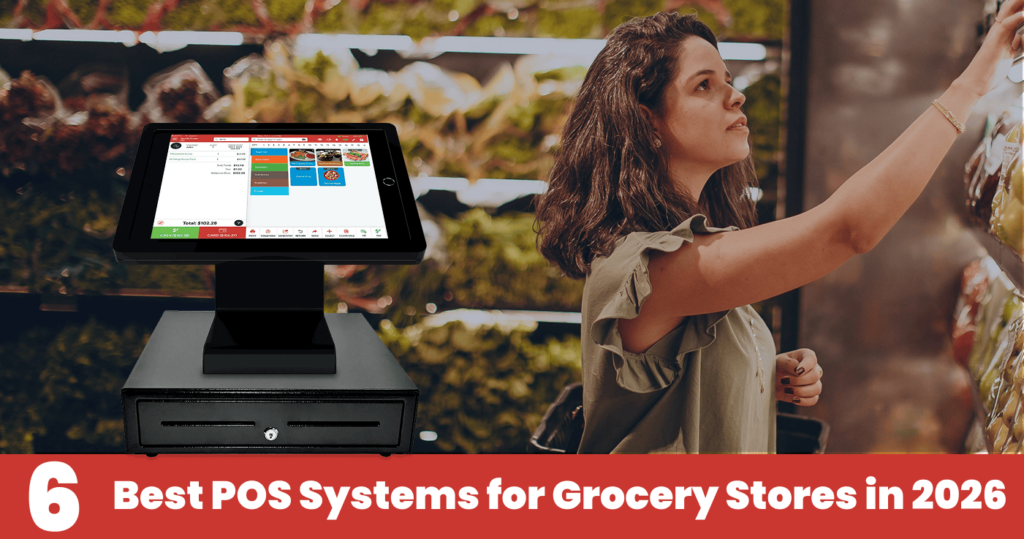
8 Best POS Systems for Liquor Stores in 2026

Table of Content
- Quick Answer
- Key Takeaways
- Explore Best POS Systems for Liquor Stores in 2026
- Best Liquor Store POS at a Glance
- 8 Best Liquor Store POS Systems in 2026
- 1. Quantic POS – Best Overall for Flexible Liquor Store Operations
- 2. KORONA POS – Best for High-Volume & Multi-Location Stores
- 3. Bottle POS – Best for Liquor-Specific Inventory Management
- 4. Square for Retail – Best for Small & New Liquor Stores
- 5. Lightspeed Retail – Best for Growing Retailers
- 6. POS Nation – Best for Compliance-Focused Stores
- 7. mPower Beverage – Best for Industry-Specific Liquor Tools
- 8. Clover – Best for Flexible Hardware & Apps
- Conclusion
- Frequently Asked Questions
The best POS systems for liquor stores in 2026 are Quantic POS (best overall for high-volume and multi-location stores), Korona POS (small and medium-sized businesses), Bottle POS (best inventory management), Square for Retail (best free/entry-level option), Lightspeed Retail (best iPad POS for growing chains), POS Nation (best for reporting), mPower Beverage (best for deep industry-specific tooling), Clover (best flexible hardware and app ecosystem).
Explore Best POS Systems for Liquor Stores in 2026
The best POS systems for liquor stores in 2026 include:
- Quantic POS – Best overall for flexible liquor store operations
- KORONA POS – Best for high-volume and multi-location stores
- Bottle POS – Best for liquor-specific inventory management
- Square for Retail – Best for new and small liquor stores
- Lightspeed Retail – Best for growing multi-location retailers
- POS Nation – Best for compliance-focused retailers
- mPower Beverage – Best for industry-specific liquor tools
- Clover – Best for hardware and app flexibility
Best Liquor Store POS at a Glance
8 Best Liquor Store POS Systems in 2026

1. Quantic POS – Best Overall for Flexible Liquor Store Operations
Quantic POS is a strong choice for liquor stores that want more than checkout functionality. It provides a liquor store point-of-sale solution, vendor, customer, inventory management, and multi-location management in one platform.
It is a cloud-based POS that streamlines liquor store daily operations and maintains visibility across products, employees, and locations. Quantic POS is a flexible cloud-based POS platform designed to manage more than just checkout. It supports 15,000+ restaurants and has 10+ years of experience.
For liquor stores, Quantic serves 4000+ liquor stores and provides 10+ operational capabilities, including inventory management, sales tracking, customer loyalty, promotions, age verification, employee management, reporting and analytics, and multi-outlet management. Its retail inventory tools can manage thousands of items, provide real-time inventory visibility, generate purchase orders, and trigger stock alerts.
Key Features
Here are the key features in detail:
- Age Verification – POS helps liquor stores integrate age-checking requirements during checkout and supports responsible alcohol sales.
- Purchase Orders – Stores can create purchase orders for inventory-related business requirements and manage purchasing workflows.
- Real-time inventory management – POS helps liquor shops monitor inventory stock levels and provide visibility into product quantities and sales activities.
- Reporting and Analytics – Quantic provides sales insights regarding sales performance that help liquor stores identify trends and make data-driven decisions.
- Multi-Location Management – It helps retailers manage multiple liquor stores by offering centralized access across all locations.
Quantic POS offers custom pricing instead of providing liquor store POS subscriptions. The final cost depends on various factors, which include hardware requirements, software setup, liquor store requirements, and other deployment services.
Pros
- It supports liquor-store operations and workflows, including age verification.
- It combines POS, inventory, purchasing, vendor management, and reporting.
- It provides loyalty programs and online-selling capabilities.
- It supports multi-location retail operations.
- Quantic offers a processor-agnostic payment approach.
- It helps to scale as a liquor retailer expands its operations.
Cons
- Pricing is not publicly listed, so retailers need to contact Quantic for a quote.
- Businesses need to evaluate available hardware and payment configurations based on their specific setup requirements.
Who Is It Best For?
Quantic POS is specifically designed for small, mid, and large-sized liquor stores that want a flexible POS system that provides inventory management, vendor management, employee management, loyalty programs, age verification, reporting, and more.

2. KORONA POS – Best for High-Volume & Multi-Location Stores
KORONA POS is a good choice for retail businesses that help manage product catalogs, transactions, and multiple locations. For liquor stores, centralized location management capabilities help them monitor sales, inventory, employees, and sales performance.
KORONA POS scores 4.36/5 in TechnologyAdvice’s 2026 evaluation of liquor-store POS systems and is rated as the best option for high-volume liquor stores seeking payment-processor flexibility. Its Core plan starts at $59 per month per terminal.
Key Features
- Inventory management – Korona POS helps liquor stores with inventory tracking and managing products across multiple locations.
- Multi-location management – As the name suggests, it centralizes data and operations across multiple stores, helping retailers monitor performance within a single location.
- Sales reporting – It offers sales reporting features that allow retailers to evaluate product performance, revenue, and stock levels.
- Employee management – POS manages employee-specific operations that help businesses control staff access and monitor employee performance.
- Retail Analytics – It provides business insights that help retailers identify sales opportunities, trends, performance, and make valuable purchasing decisions.
Pricing
Korona POS provides a starting plan of $59/month, but the final cost can vary depending on the hardware, integrations, and business requirements.
Pros
- It provides multi-location management for liquor stores operating across different areas.
- It supports high-volume retail environments like liquor stores.
- It provides sales reporting and inventory management features.
- It allows businesses to maintain visibility across multiple locations.
Cons
- Liquor stores should check whether the available features fulfill their store requirements.
- It provides additional hardware, integrations, and other features that can increase your POS costs.
- It provides advanced functionality for small liquor stores, so it will be difficult to match the requirements.
Who Is It Best For?
Korona POS is good for high-volume and multi-location stores that provide centralized control over sales, inventory, employee, and store management. It is best suited for retailers that need a POS system offering centralized operational capabilities across multiple locations.
3. Bottle POS – Best for Liquor-Specific Inventory Management
Bottle POS is specifically designed for liquor stores that want inventory management features. The POS focuses on managing liquor store inventory workflows, which include product catalogs, case quantities, bottles, vendors, and purchases.
Bottle POS serves 3,000+ liquor retailers and is built specifically around liquor-store inventory workflows. Its inventory system includes a database of 20,000+ beer, wine, and liquor SKUs, supports case-to-bottle inventory tracking, vendor management, and automated purchase orders
Key Features
Here are the key features in detail:
- Liquor Inventory Tracking: POS tracks individual products, quantities, sizes, brands, and categories across the store.
- Case and Bottle Management: It manages products sold by the case or individual bottle while maintaining accurate inventory counts.
- Vendor Management: It organizes vendor information and purchasing activity to simplify supplier relationships.
- Purchase Management: It helps manage purchase orders and restocking so stores can maintain appropriate inventory levels.
- Product Management: It adds and organizes a wide range of liquor products and maintains detailed product information.
Pricing
Bottle POS pricing depends on the business requirements, system configuration, and plan. Pricing is custom and depends on the software, hardware, payment processing, and support costs.
Pros
- It is designed specifically to manage liquor store operations.
- It provides inventory tracking features for products, bottles, cases, and more.
- It helps businesses manage processes that require additional configuration in POS.
- POS enhances sales and inventory performance to support purchasing decisions,
Cons
- Liquor retailers may find more specialized and flexible liquor-focused POS systems.
- It may not support broader store operations. Businesses may prefer a more versatile POS for multiple store locations.
- Liquor stores with complex omnichannel or multi-industry requirements should check whether these capabilities are available.
Who Is It Best For?
Bottle POS is good for independent liquor stores and alcohol retailers that prioritize liquor-related inventory management. It is especially useful for stores that need dedicated inventory features for bottles, cases, purchasing, and more.
4. Square for Retail – Best for Small & New Liquor Stores
Square POS is a general-purpose POS solution designed for small businesses that helps manage inventory, sales, customers, payments, and daily operations. It provides a basic POS system for liquor stores to fulfill basic requirements.
Square says more than 4 million sellers use its platform and that it processed 4 billion individual sales transactions and $209.6 billion in payments in 2023.
Key Features
Square for Retail combines core retail POS capabilities with Square’s broader business ecosystem. Key features include:
- Inventory Management: Track products, stock levels, and inventory movements from the POS system.
- Sales Tracking: Record transactions and monitor sales performance across the store.
- Customer Management: Maintain customer information and use customer-related tools to support retention.
- Reporting & Analytics: Review sales and business reports to understand store performance and product trends.
- Integrated Payments: Process payments through Square’s integrated payment ecosystem.
- Employee Management: Manage employee access and permissions depending on the selected plan and configuration.
- Business Integrations: Connect with other Square tools and services as the business expands.
- Multi-Location Support: Businesses operating multiple locations can use Square’s ecosystem to manage operations across stores, subject to plan availability.
Pricing
Square POS offers a free entry-level POS solution, while additional functionality is available with paid plans. The overall cost depends on payment processing, hardware, and other services.
Pros
- POS is designed with easy-to-use functionality and offers a straightforward setup process.
- It offers a low entry price that makes it attractive to small businesses with limited upfront costs.
- It is a beginner-friendly POS that provides a flexible interface and is easier for first-time POS users.
- It provides access to retailers’ various additional tools for payments, employees, customers, and reporting.
Cons
- Square POS is not specifically designed for liquor store workflows such as bottle and case management.
- It offers advanced features that require paid plans and high subscription fees.
- Its additional costs can vary depending on hardware, payments, and other services. Overall costs can go beyond the basic plan price.
Who Is It Best For?
Square POS is best suited for new and small liquor stores that need a basic setup plan and is easy to use with a low initial software cost. It is best for retailers that need a standard POS with inventory capabilities.

5. Lightspeed Retail – Best for Growing Retailers
Lightspeed POS is a cloud-based POS designed for retailers looking for advanced checkout functionality. It provides inventory management, reporting, employee management, e-commerce, and multi-location operations on a single platform. It is especially useful when the product catalog becomes large and requires advanced inventory management.
Lightspeed reports that retailers using its Insights platform achieved a 25.4% higher GMROI, $4,457 in additional monthly gross profit, and 26% fewer out-of-stock days for top-selling products.
Key Features
- Advanced Inventory Management – POS provides advanced inventory management that helps to track stock levels, products, suppliers, purchase orders, and more.
- Multi-location management – It allows businesses to manage inventory, employees, products, and sales across multiple locations.
- Centralized product catalog – It provides a centralized product catalog that helps liquor stores maintain product information and pricing across all locations.
- Retail analytics – It provides access to sales reports and valuable business insights into business performance and revenue.
- Employee management – It helps liquor stores manage employee access, roles, and sales activity using the POS system.
Pricing
Lightspeed Retail starts at $89/month plan, and the overall final cost may vary based on the locations, add-ons, hardware, integration, and other requirements.
Pros
- It has strong inventory management capabilities that can manage large amounts of inventory and frequent changes in the product catalogs.
- It provides functionality that supports long term growth, as businesses can add more products, employees, and locations.
- It has omnichannel capabilities that connect online selling with physical store operations.
- It provides multi-location support for liquor stores and helps them to manage inventory and operations.
Cons
- The main con is its higher starting cost. The overall cost can be much higher than other POS systems mainly designed for small liquor stores.
- It is highly complex for liquor stores, as businesses need basic checkout and inventory control.
- Its additional costs may impact your budget for features, integrations, and hardware.
- It has broader features that need more time for staff to learn and implement.
Who Is It Best For?
Lightspeed Retail is best for new liquor stores, old stores, and multi-location businesses that want better inventory management and omnichannel capabilities. It is a good centralized POS platform that can manage products, employees, sales, and customers.

6. POS Nation – Best for Compliance-Focused Stores
POS Nation is a retail-based POS system mainly designed for liquor stores, convenience stores, and other retail establishments. It provides features that help store owners manage inventory, customers, employees, and reporting using a centralized POS solution.
POS Nation has served more than 10,000 retailers across all 50 states and reports more than $5 billion in annual payments processed.
Key Features
Here are the key features in detail:
- Inventory management: It tracks products, inventory, pricing, and quantities to maintain better visibility into stock levels. It is beneficial for liquor stores, which carry a large number of SKUs across brands, sizes, and categories.
- Retail-Focused POS – It provides checkout functionality that helps retailers maintain workflows and process transactions while maintaining product pricing information.
- Sales Reporting – It allows Liquor retailers to use sales reports and evaluate revenue, performance, transactions, and other operational metrics.
- Employee Management – It allows businesses to manage employee access and monitor sales activity while maintaining good control over store operations.
- Product and Pricing Management – It helps liquor stores manage product catalogs and pricing information across the inventory.
Pricing
POS Nation provides custom pricing, which means the price can vary as per business requirements, hardware setup, locations, and features. Businesses need to request a quote and compare the total cost of software, hardware, implementation, support, and other additional charges.
Pros
- It is designed for liquor stores and other specialty retailers, offering a retail-focused approach.
- It provides retail management tools to manage products, employees, customers, sales, and reporting.
- It is highly capable of managing large product catalogs and quick inventory movement.
- It provides reporting tools that help businesses analyze sales and business performance.
Cons
- Businesses need to contact POS Nation for pricing, as it is not publicly available.
- POS configuration affects functionality, as available features may vary depending on the selected setup.
- The retail stores with simple operations may not want the full range of POS retail functionality.
Who Is It Best For?
It is best suited for liquor retailers that prioritize inventory management, retail management, reporting, and more.

7. mPower Beverage – Best for Industry-Specific Liquor Tools
mPower Beverage is a beverage-industry-focused POS and retail management solution designed specifically for liquor, wine, beer, and other beverage retailers. Unlike general-purpose retail POS systems, mPower Beverage focuses on the operational challenges associated with managing large beverage catalogs, purchasing, vendors, pricing, and inventory.
For liquor stores with thousands of products and complex purchasing requirements, an industry-specific system can provide more relevant workflows than a basic retail POS.
mPower states that it has 15+ years of experience in beverage retail, with thousands of installs across 46 states plus Washington, D.C.
Key Features
Here are the key features in detail:
- Beverage-specific inventory management – POS tracks inventory such as beer, liquor, wine, and other beverage products while maintaining stock levels.
- Purchase management – It helps liquor stores manage purchasing activities and maintain better control over new inventory.
- Inventory Control – It helps monitor inventory movement to identify slow-selling items and fast-selling products.
- Vendor management – It manages supplier data and purchasing relationships within the POS system.
- Sales Reporting – It provides reporting features that help liquor stores to analyze sales and understand product performance.
Pricing
mPower Beverage provides custom pricing depending on the retailer’s requirements, implementation, hardware, and other services.
Pros
- It is specifically designed around the requirements of beverage and liquor stores.
- It provides specialized liquor store functionality that is closely aligned with beverages.
- It is best suited for complex inventory like large product catalogs and quick inventory movement.
- It is useful for retailers that need good control over their supplier relations.
Cons
- Small liquor stores with limited products don’t require such specialized functionality.
- Liquor stores cannot compare costs, as it provides custom pricing; you need to request a quote.
- The final cost of the POS solution depends on the hardware, software, features, and services.
Who Is It Best For?
mPower Beverage is best for large liquor stores, wine shops, beer shops, and other beverage businesses that have complex inventory and purchasing requirements.

8. Clover – Best for Flexible Hardware & Apps
Clover is a flexible POS platform that combines payment processing, POS hardware, inventory management, customer management, employee tools, and business reporting. One of its biggest advantages is its broad ecosystem of third-party applications, which lets retailers add functionality based on their specific business needs.
For liquor stores, Clover can work well when owners want to choose their preferred hardware and customize their POS environment with additional applications. However, retailers may need third-party apps to add more specialized liquor-store capabilities.
Clover also says more than 3,000 financial institution partners sell Clover solutions in the U.S.
Key Features
Here are the key features in detail:
- Flexible POS Hardware – Clover provides flexible POS hardware options that help liquor stores to choose a setup based on mobility, transactions, and counter space requirements.
- Inventory Management – POS tracks products, pricing, quantities, and inventory that maintain better control over stock movement.
- Sales Reporting – It provides access to sales and business reports to monitor transactions and product performance.
- Customer Management – It manages customer data to support retention and marketing activities.
- Third-party apps – The Clover application ecosystem helps retailers to utilize additional tools for loyalty, accounting, marketing, e-commerce, and more.
Pricing
The pricing of Clover varies depending on the software, hardware, payment processing, and provider. Additional apps or integrations may also increase the overall cost of the POS solution.
Pros
- It provides flexible hardware options that fit liquor stores and meet the checkout requirements.
- It has a large third-party applications ecosystem that extends the POS functionality.
- It provides customized setup that helps businesses choose additional tools based on their operational needs.
- It provides integrated payment processing within the POS as one ecosystem.
Cons
- The basic Clover plan may not include every liquor store requirement, so liquor-specific functionality requires additional apps.
- Total costs can vary based on POS hardware, software, payment processing, and third-party apps.
- Third-party dependencies can result in additional fees and setup requirements.
Who Is It Best For?
Clover is best for liquor stores that need flexible POS hardware and customized POS with third-party applications.