9 Best POS Systems for Retail 2026: The Ultimate Guide for Retailers

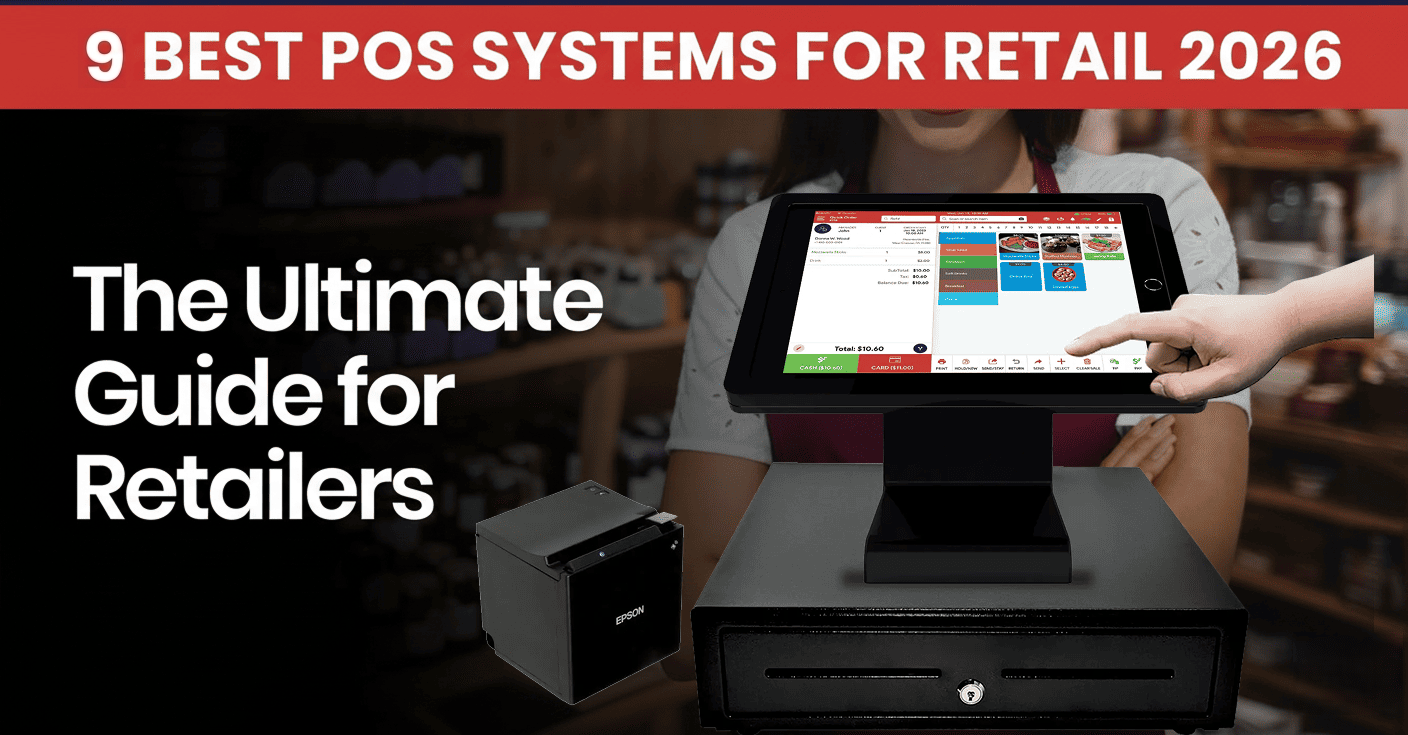
Table of Content
- What is a POS System in Retail?
- What Does POS Stand for in Retail?
- Key Components of a Retail POS System
- How Does a POS System for Retail Work?
- Why Choosing the Right POS System For Retail Matters for U.S. Retailers
- Types of Retail POS
- What Are the Features of a Modern Retail POS System?
- Top Benefits of Using a Modern POS System for Retail
- Top Retail POS Trends to Watch in 2026
- 9 Best POS Systems for Retail Stores in 2026
- Best Retail POS Systems: Features Compared
- Final Thoughts
- Frequently Asked Questions
A retail POS (Point of Sale) system combines software and hardware to handle customer checkouts, track inventory, and manage sales data. It is the centralized backbone of the retail store, handling seamless integrations, payment processing, and more. According to recent market reports, the global retail POS system market was valued at around $32.4 billion in 2025 and is projected to reach $74.8 billion by 2034.
Choosing the right POS system is very important, whether you have a large chain of stores, a boutique, a bar, or a grocery store. Let’s explore a complete guide to POS systems for retailers, including their key components, features, benefits, and more.
What is a POS System in Retail?
A retail POS system is a POS solution that helps retail businesses manage their sales transactions, customer payments, and retail operations. The point of sale system refers to when the customer pays for a service or product. Now the POS system works as the retail operations backbone for the businesses. It provides inventory management, CRM, employee management, reporting, analytics, and more.
What Does POS Stand for in Retail?
In retail, POS stands for Point of Sale. The POS is the combination of software and hardware to manage complete retail operations. It is the time or place where retail transactions took place. It includes both:
- The physical hardware system used by the customer to make a payment.
- The software is used to process these transactions, manage sales and inventory, print receipts, and more.
Key Components of a Retail POS System
| Component | Type | Primary Function | Retail Benefit |
|---|---|---|---|
| Touchscreen Terminal/Tablet | Hardware | Processes transactions | Faster checkout |
| Barcode Scanner | Hardware | Scans products | Reduces manual entry |
| Card Reader | Hardware | Accepts card/contactless payments | Flexible payment options |
| Receipt Printer | Hardware | Prints receipts | Easy transaction records |
| Cash Drawer | Hardware | Stores cash | Secure cash handling |
| Inventory Management | Software | Tracks stock | Reduces stockouts |
| CRM | Software | Manages customer data | Improves personalization |
| Reporting | Software | Analyzes sales | Better decision-making |
In detail, explore key components used in a retail POS system.
Hardware
These devices interact directly with customers and employees in the retail store.
- Touchscreen Terminal or Tablet – Transactions are processed using these touchscreen terminals or tablets, where customers check prices and product details.
- Barcode Scanner – Scanner scans product barcodes and adds them to the bill, helping with quick checkouts and reducing errors.
- Contactless Payments – The credit/debit cards and digital wallets like Apple Pay and Google Pay are payment methods that payment devices accept.
- Receipt Printer – With a receipt printer, transaction receipts are printed for the customers.
- Cash Drawer – A cash drawer is used to store cash payments.
Software
It is the POS system brain that manages complete retail operations.
- Cloud-based POS – It is a cloud-based retail POS that manages multiple retail stores and can be accessed online with a single dashboard.
How Does a POS System for Retail Work?
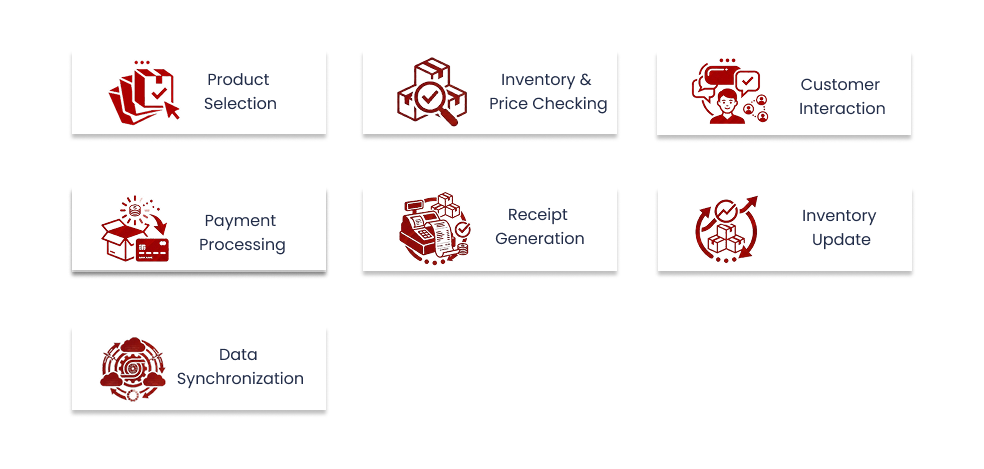
The workflow is broken down into the following simplified steps:
Product Selection
To select a product using a touchscreen, the cashier scans the barcode. Now, after scanning, the POS identifies this product from its database.
Inventory and Price Checking
The POS system provides product details like SKU, price, and current stock levels in real time.
Customer Interaction
The customer profile can be accessed or created within the system. The POS automatically adds discounts, loyalty rewards, and offers, etc.
Payment Processing
Customers make payments using cash, cards, or digital payments. Using a POS system allows payment processors to authorize complete transactions.
Receipt Generation
Receipt generation takes place instantly by printing or sending digitally using email or SMS.
Inventory Update
In each transaction, stock levels are adjusted automatically, which helps maintain correct inventory data.
Data Synchronization
All transaction data is synced in real time, which allows access to analytics and reporting.
Why Choosing the Right POS System For Retail Matters for U.S. Retailers
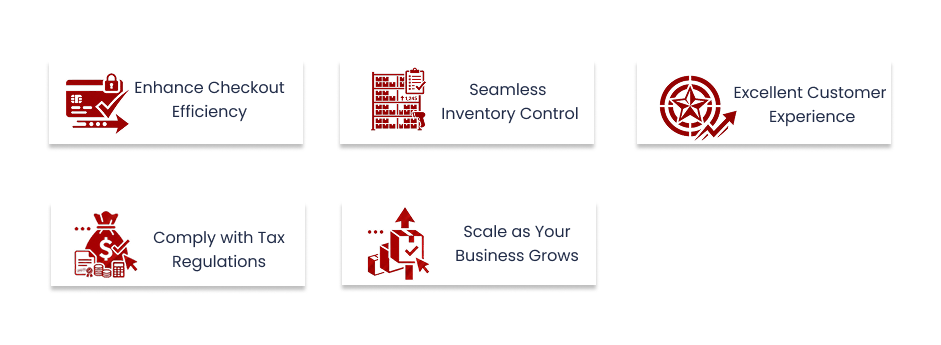
1. Enhance Checkout Efficiency
- For speedy checkout, the modern POS system connects with barcode scanners, receipt printers, and payment options.
- POS helps minimize manual errors and speeds up checkout during peak hours.
- These fast checkouts boost employee productivity and customer satisfaction.
2. Seamless Inventory Control
- The POS system automates inventory management, which reduces errors and workload.
- It has built-in analytics that let businesses know what products to sell.
- It tracks inventory to avoid stockout and overstocking problems.
3. Excellent Customer Experience
- The POS system helps customers to get consistent services in-store or online.
- It integrates with e-commerce, CRM, loyalty, and more to provide a unified experience.
- The omnichannel and personalization capabilities boost customer engagement.
4. Comply with Tax and Payment Regulations
- The POS system supports payment security and is fully PCI compliant.
- It calculates taxes based on the location and products automatically.
- Being PCI-compliant POS reduces risk and protects customer data from fraud.
5. Scale as Your Business Grows
- It is a cloud-based POS that manages multi-location outlets from any location.
- POS supports scalability for long-term growth and enhances operational efficiency.
- It allows easy integration with third-party tools and sales channels.
Types of Retail POS
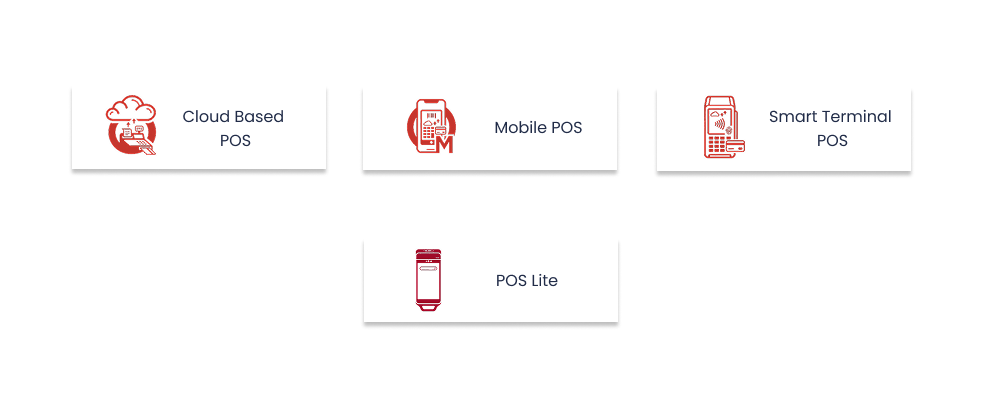
1. Cloud-Based POS
- A cloud-based POS like Quantic allows businesses real-time access to inventory, sales, and reports regardless of location.
- Businesses get a multi-store management feature and centralized control over customer data.
- Cloud-based POS provides automatic updates and cloud hosting, reducing IT costs.
2. Mobile POS (Tablet & Smartphone POS)
- Mobile POS enables billing and payment on devices like tablets and smartphones.
- This POS is ideal for remote retail operations, pop-ups, and on-floor selling.
- It provides excellent customer satisfaction with quick checkouts.
3. Smart Terminal POS
- The terminal combines the POS software and hardware in a single device.
- It tracks real-time transactions and sales that reduce checkout errors.
- It allows multiple payment methods, like credit/debit cards, digital wallets, and more.
4. POS Lite
- It is mainly designed for retailers with easy billing and payment needs.
- It includes important features like sales tracking, reporting, and analytics.
- POS Lite is easy to set up & operate, and minimal training is required.
What Are the Features of a Modern Retail POS System?
| Feature | What It Does | Why Retailers Need It |
|---|---|---|
| Integrated Payments | Processes card, NFC & digital wallet payments | Faster, more flexible checkout |
| Inventory Management | Tracks stock across locations/channels | Prevents stockouts and overstocking |
| CRM | Stores customer and purchase information | Enables personalized marketing |
| Employee Management | Tracks roles, hours and performance | Improves accountability |
| Sales Reporting | Tracks sales and product performance | Supports data-driven decisions |
Modern Retail POS, like Quantic, provides a centralized POS solution that helps retailers enhance the customer experience, streamline retail operations, and improve reporting and analytics. Let’s discover retail POS system features that support efficient daily operations.
1. Integrated Payments
Why it matters: It allows quick checkouts, enhances flexibility, and performs secure transactions.
The retail POS allows various payment methods such as contactless, credit/ debit cards, digital wallets, gift cards, and more. This enables a seamless checkout experience, reducing human errors.
Key Capabilities:
- Provides secure PCI-compliant transactions.
- Provides EMV chip and NFC-enabled payments.
- Supports dual pricing and flexible payment processing.
- Digital wallet support.
2. Inventory Management
Why it matters: It manages inventory and helps prevent stockouts or overstocking.
Quantic retail POS allows real-time inventory tracking across all retail stores. It helps retailers monitor stock levels, product variants, and automate restocking.
Key Capabilities:
- Real-time inventory tracking and updates.
- Manages product variants as per size and color.
- Allows low stock alerts and reordering.
- Barcode tracking.
3. Customer Management (CRM)
Why it matters: It encourages customer loyalty programs and enhances customer satisfaction.
CRM helps retailers track customer data and purchase history, which enables them to develop marketing campaigns to increase customer revisits.
Key Capabilities:
- Manages loyalty and reward program integration.
- Manages purchase history tracking.
- Provides personalized discounts and offers.
- Allows email and SMS promotions.
4. Employee Management
Why it matters: Quantic POS enhances accountability and improves staff productivity, making them more efficient.
Our POS system allows businesses to monitor work hours, track staff performance, and manage employee access from a single centralized platform.
Key Capabilities:
- Allows clock-in and clock-out employee tracking feature.
- Provide role-based permissions to the employees.
- Tracks the employee performance reports.
- Manages the shift and timing of employees.
5. Sales & Reporting Dashboards
Why it matters: POS helps retailers track sales reports and make data-driven decisions.
Quantic provides reporting and analytics features that enable businesses to track real-time sales trends, top-performing products, employee performance, and customer behavior.
Key Capabilities:
- Generates real-time sales reports.
- Provides product and category performance insights to make data-driven decisions.
- Allow businesses to use performance analytics across all retail locations.
- Provides a customizable dashboard for analyzing reports.
Top Benefits of Using a Modern POS System for Retail
Let’s explore the benefits of implementing retail POS in retail businesses:
1. Streamlined Checkout
POS helps retailers make seamless transactions using integrated payments and a barcode scanner. This minimizes human errors and wait times, providing a seamless customer experience.
Key Impact:
- Provides a good in-store customer experience.
- Allows quick billing, fast checkouts, and long queues.
- Enhances the billing accuracy, reducing manual errors.
2. Centralized Control Across Locations
Our retail POS is a cloud-based POS that manages multiple outlets, warehouses, and sales channels from a single dashboard. It allows retailers to maintain pricing, performance monitoring, and inventory tracking in real-time across multiple outlets.
Key Impact:
- Simplifies retail operations across multiple stores.
- Provides centralized inventory and manages pricing.
- Become scalable as the business grows from one outlet to multiple.
3. Improved Customer Loyalty and Retention
Our retail POS helps businesses build long-term relationships using built-in CRM capabilities. It allows retailers to manage customer data, track customer behavior, and run targeted campaigns. Loyalty programs increase repeat purchases and enhance customer relationships.
Key Impact:
- Provide deep customer insights.
- Helps build more effective and data-driven marketing campaigns.
- Increases repeat purchases and builds long-term relations
4. Flexibility to Sell Anywhere
Retail POS allows businesses to sell their products irrespective of locations and platforms. They can sell in person, online, or on social media platforms. Using the mobile POS system and e-commerce integrations enables retailers to sell their products (curbside pickup or delivery), depending on their needs.
Key Impact:
- Retail POS with e-commerce integrations allows customers a smooth shopping experience.
- It enables retailers to increase their selling reach across locations and platforms.
- It provides the ability to scale your retail shop efficiently
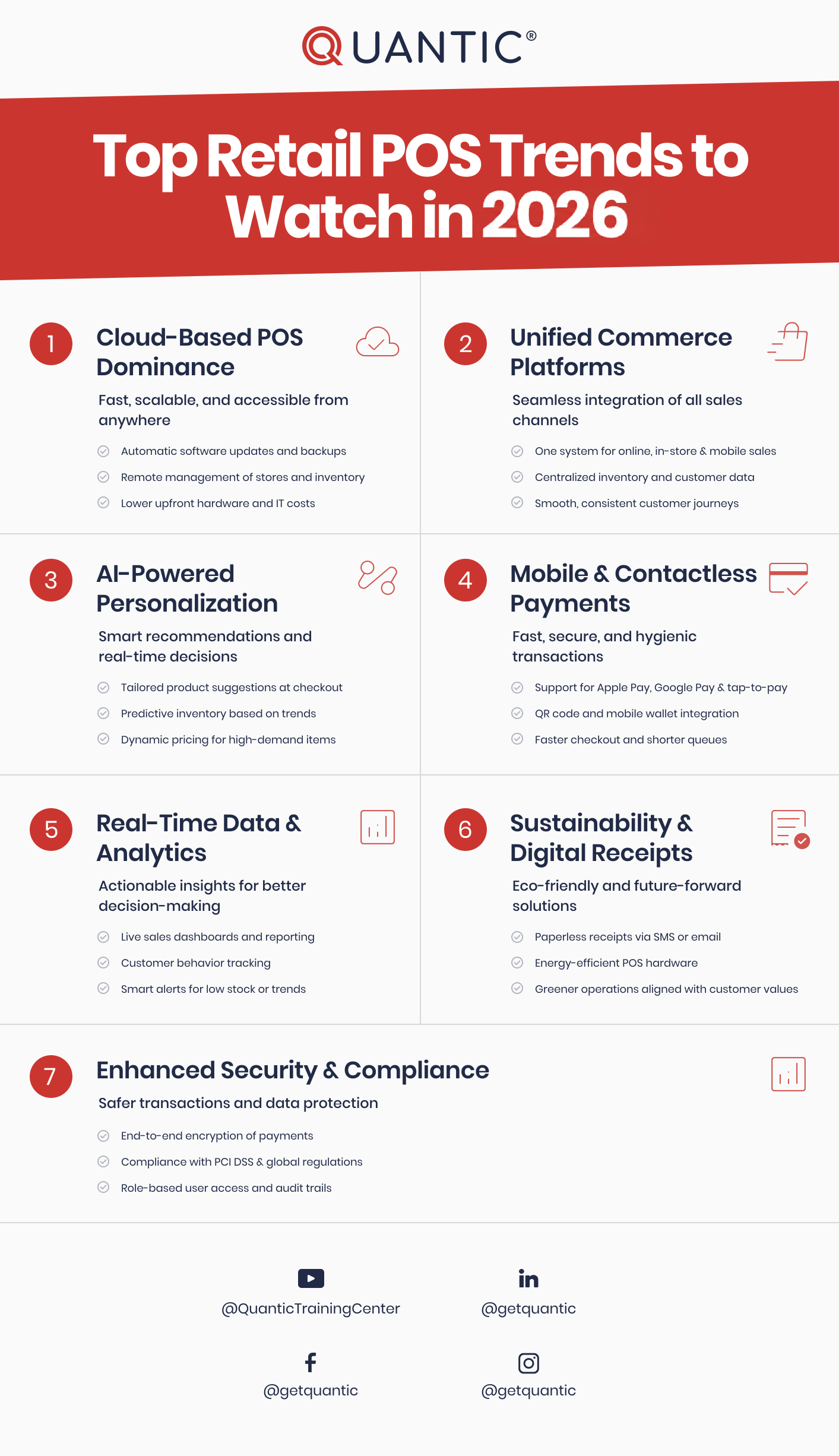
Top Retail POS Trends to Watch in 2026
9 Best POS Systems for Retail Stores in 2026
Let’s explore the top 9 retail POS systems in the USA for 2026:
1. Quantic POS
Best for: Quantic is ideal for all retailers who need flexible and customizable solutions.
Quantic POS is a cloud-based POS mainly designed for small, medium, and large retailers. They provide quick setup, customized configurations, and an easy-to-use interface.
Key Features:
- It provides customized workflows, quick setup, and receipts after payments.
- It has built-in CRM functionality, loyalty programs, and gift card support to encourage customers to revisit.
- POS provides flexible integrations with payments, accounting, delivery, and more.
- It is a cloud-based POS that supports mobile and tablet devices.
Why It Stands Out:
For retailers looking for seamless POS features without costly solutions, Quantic POS is the best choice. It is a flexible solutions that manage payments, inventory, employees, sales, customers, and more.
2. Square for Retail
Best for: Square POS is ideal for small retailers and pop-up stores.
Square retail POS mainly targets small businesses with its easy-to-use UI and affordable pricing. It also provides a free plan that helps retailers use its cloud-based features and payment processing, and more. It allows businesses to use free and paid plans that provide seamless operations, inventory management, and more, reducing headaches.
Key Features:
- It has flexible hardware, including terminals, cards, and registers.
- It has free and paid plans, so customers can choose the plan that’s right for them.
- It prevents stockouts for retailers, providing real-time inventory tracking.
- It has an integrated CRM so businesses can track their customer and sales data.
Why It Stands Out:
Square is designed for small enterprises seeking simple POS solutions with zero upfront investment.
3. Shopify POS
Best for: Shopify POS is well known for its e-commerce solutions, supporting retailers as they expand into brick-and-mortar.
Shopify POS helps retailers utilize the Shopify e-commerce platform and its omnichannel capabilities. It provides inventory management, order synchronization, customer management, and more features that support both online and in-store retailers.
Key Features:
- It provides its integrated Shopify e-commerce engine to build its own retailer websites.
- It provides reporting and analytics that help retailers understand their products, sales, and employees.
- POS has various functionalities such as pick-up in-store, buy online, and more.
- It provides a flexible checkout experience to its clients.
Why It Stands Out:
Shopify POS is a great option for retail businesses that want to sell their products online or in-store, offering a multi-channel shopping experience.
4. Lightspeed Retail
Best for: Lightspeed Retail is useful for retailers who have lifestyle, apparel, and sports goods shops.
Lightspeed Retail is a feature-rich POS designed for multi-location businesses and inventory management. Its capabilities span various verticals, including SKU variability and catalogs such as clothing, accessories, and more.
Key Features:
- POS streamlines vendor management, helping retailers create purchase orders, track deliveries, and monitor stock levels.
- It provides inventory management where POS manages products with multiple variations, like size, color, or style.
- It provides detailed reports on inventory, sales, and customer behavior.
- It manages multiple store locations with a single dashboard.
Why It Stands Out:
Lightspeed POS is a modern POS solution that has powerful inventory and an easy-to-use UI, ideal for fast-growing businesses.
5. Toast POS
Best for: Toast POS is ideal for hybrid food-and-retail businesses.
Toast POS is primarily designed for restaurants and is now focusing on the retail POS market. POS is targeting the food markets, cafes, bakeries, clothing, and packaged foods.
Key Features:
- POS supports contactless payments like card payments, mobile wallets, and QR code payments.
- It provides sales and inventory reporting to enhance operational efficiency and make data-driven decisions.
- POS provides durable hardware to enhance daily operations during peak hours.
- It allows easy dining, delivery, takeaway, and combo offerings.
Why It Stands Out:
Toast POS is a preferred option for retailers and restaurants managing their business operations, payments, inventory, sales, and more.
6. Clover POS
Best for: Clover POS is ideal for various retail categories.
Clover POS supports small and medium-sized retail businesses. It offers a flexible app store and a range of hardware options for its customers.
Key Features:
- It provides complete hardware bundles that include terminals, receipt printers, drawers, and payment devices.
- It monitors inventory levels, stock usage, and manages staff and permissions.
- It offers a customer loyalty program that includes rewards, offers, gift cards, and more.
- It provides an app store and third-party integrations with accounting, delivery platforms, and more.
Why It Stands Out:
Clover POS provides reliable hardware and various essential features that help retailers manage all their retail operations.
7. Korona POS
Best for: High-volume retailers and ticket-based businesses.
Korona POS is a retail POS solution designed for accuracy, scalability, and flexibility in BOH operations. It is specifically designed for liquor stores, museums, convenience stores, and more that need detailed tracking with flexible pricing options.
Key Features
- It provides real-time reporting and analytics features to track customer and its employee data.
- It enhances seamless integrations with POS software and hardware.
- It manages inventory management and tracks stock automatically.
- It provides event management and ticketing features to collect customer data.
Why It Stands Out:
Korona POS is a good choice for retailers who need inventory security, accuracy, and operational control in high-volume environments.
8. GoDaddy POS
Best for: It is ideal for new entrepreneurs, startups, and small businesses that are looking for a complete e-commerce solution.
GoDaddy POS provides the easiest way to sell online and in person for small retailers or service-based businesses. Those retailers already have a GoDaddy website builder or online store and can easily integrate their ecosystem and manage products, orders, and customers using a single dashboard.
Key Features
- It provides a mobile-friendly POS for selling on the go.
- It has built-in integration with GoDaddy websites, which helps them manage all retail operations seamlessly.
- It provides easy payment processing and multiple payment options that allow quick checkouts.
- It has inventory management that manages both online and offline sales.
Why It Stands Out:
It can be the ideal choice for small businesses that need a simple and easy-to-use POS that connects with their stores seamlessly.
9. POS Nation
Best for: It is designed for retailers such as grocery stores, liquor stores, and convenience stores.
POs Nation is an industry-specific POS solution that focuses on the retail industry. It is designed to manage inventory, SKU volumes, and regulatory requirements. It provides customized software and hardware that help retailers set up POS efficiently.
Key Features
- It provides real-time reporting, which includes around 50+ customized reports.
- It delivers industry-specific POS solutions for liquor or grocery stores.
- It also has loyalty programs and tracks purchases efficiently.
- It provides inventory management that allows automated reordering.
Why It Stands Out
It is an ideal choice for retail businesses that need inventory management and compliance features.
Best Retail POS Systems: Features Compared
| POS System | Best For | Ease of Use | Advanced Reporting | Customer Support | Payment Processing |
|---|---|---|---|---|---|
| Quantic POS | Customizable retail businesses | High | Advanced | Dedicated | Integrated |
| Square for Retail | Small retailers & pop-ups | High | Yes | Yes | Integrated |
| Shopify POS | Omnichannel retailers | High | Yes | Yes | Integrated |
| Lightspeed Retail | Complex & growing retailers | High | Advanced | Yes | Integrated |
| Toast | Food-focused businesses | High | Advanced | Yes | Integrated |