9 Best POS Systems for Restaurants: Ranked & Reviewed 2026

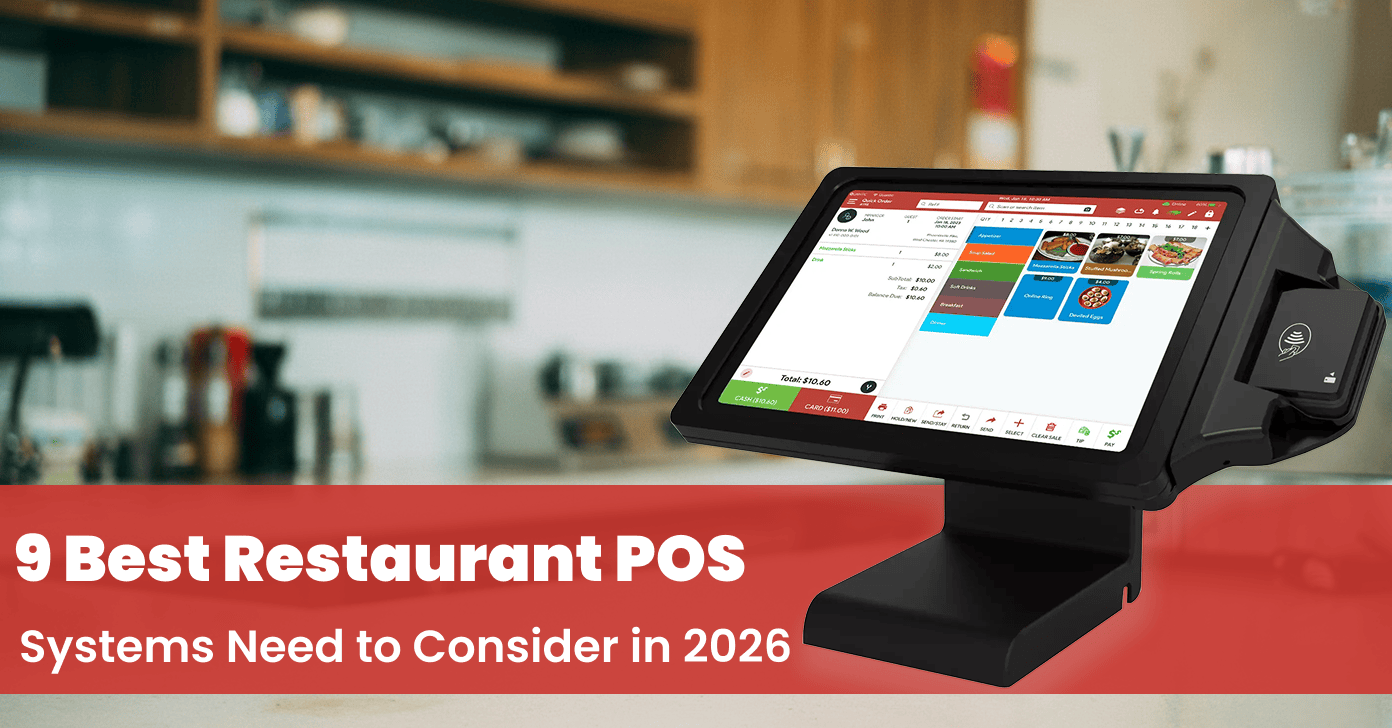
Table of Content
- Key Takeaways
- What is the Restaurant POS System?
- What are the Best Restaurant POS Systems to Consider in 2026?
- 1. Square POS – Simple POS for Small Businesses
- 2. Quantic POS – Flexible Restaurant and Retail Platform
- 3. Toast POS – Restaurant-First POS Platform
- 4. Lightspeed – Powerful Retail & Hospitality Solution
- 5. TouchBistro – Designed for Table-Service Dining
- 6. Clover – Flexible POS with Custom Hardware
- 7. Revel Systems – Enterprise-Grade POS Platform
- 8. Shopify POS – Unified Commerce for Retailers
- 9. Lavu POS – Mobile-First Restaurant Management
- Our Top Recommendations
- Final Thoughts
- Frequently Asked Questions
- What is a restaurant pos system?
- Why restaurants need a POS system in 2026
- Which POS System is beneficial for cafes and restaurants?
- What is the best POS for multi-locations?
- What is the best POS for small restaurants?
- What is the best POS for full-service restaurants?
- What is the best POS for cafes?
- What is the best POS for bars?
- What is the best POS for food trucks?
- What is the best POS for QSRs?
Choosing the best POS system for your restaurant is crucial in 2026 if you want to maximize profits and deliver quality service. POS systems have become essential for modern restaurants, serving as the core operational center that manages staff activities and customer interactions.
In fact, quick-service restaurants globally use POS systems for quick transactions and seamless operations. The POS should handle inventory, real-time analytics, loyalty, staff management, online ordering, and more.
In 2025, 52% of restaurant operators planned to invest in POS systems, including 53% of limited-service operators.
In this blog, we explore the 9 best POS platforms to consider for your restaurant in 2026. Pricing is accurate as of the publication date; please verify current pricing with each provider, as rates and plans may change over time.
What is the Restaurant POS System?
A restaurant POS system is a software and hardware solution that helps restaurants manage orders, payments, tables, menus, inventory, and sales from one centralized system. It helps streamline daily operations, improve order accuracy, and provide real-time business insights.
What are the Best Restaurant POS Systems to Consider in 2026?
1. Square POS – Simple POS for Small Businesses
Square for Restaurants is best suited to small restaurants, cafes, food trucks, bars, and quick-service businesses that prioritize simple setup, accessible pricing, and an easy-to-use POS.
It is also a practical choice for businesses that want restaurant functionality alongside broader retail and small-business tools.
Square offers a low-cost POS system for the entry-level market, which includes free plans and monthly plans. It enables you to operate with a small investment using an iPad and a card reader.
It also lets users access advanced features such as mobile-friendly hardware, a payment processor, and invoicing. These features help quick-service restaurants operate more efficiently and serve customers anywhere.
Key Features
- Order Management – Manage dine-in, takeout, and delivery orders from the POS.
- Menu Management – Create and update menus, items, modifiers, and pricing.
- Payment Processing – Accept card, contactless, and other digital payments.
- Employee Management – Manage employee access, roles, time tracking, and permissions.
- Inventory Management – Track ingredients and inventory levels to help manage stock.
Key Benefits
Pros:
- Includes a complimentary starting plan and offers an affordable initial setup.
- A user-friendly interface is essential for rapid staff training.
- Excellent mobile POS options, ideal for food trucks and counter service operations.
- Offers monthly billing and has no long-term contracts.
Cons:
- Limited restaurant features when it comes to advanced, complex modifiers, inventory, and more.
- Allows limited customization for large kitchens.
- It offers hardware devices, but not as rugged as Toast’s restaurant devices.
- It charges high credit card processing fees.
Best For:
Best for food trucks, cafes, bakeries, fast-casual restaurants, and small chains. It offers an affordable POS that helps you scale your business without any complexities.
Pricing (Pricing may vary depending on the product type, per location)
Here is the pricing plan for Square POS, and for more details, visit here.
- Basic plan – $0/month
- Plus Plan– $49/month
- Premium– $149/month

2. Quantic POS – Flexible Restaurant and Retail Platform
Quantic POS is best suited to restaurants that need a flexible, restaurant-focused POS with capabilities for order and table management, inventory, reporting, kitchen operations, online ordering, payments, and multi-location management.
It is particularly suitable for restaurants that want a broad operational platform rather than a basic checkout system.
Quantic POS is a highly scalable, cloud-based point-of-sale platform built to support restaurant operational efficiency across both iOS and Android devices.
It is natively engineered for cafes, bars, food trucks, vape shops, liquor stores, full-service,quick-service restaurants, retailers, and multi-location hospitality enterprises.
Quantic POS’s primary structural advantage is its fully processor-agnostic architecture, which gives merchants total freedom over their payment processing choices.
Key Features
1. Hybrid Cloud Architecture:
It offers real-time data synchronization across all terminals and kitchen displays, backed by hardware-level offline reliability that processes orders continuously during network drops. It offers important advantages for small cafes, busy kitchens, bars, and restaurants with limited connectivity.
2. Comprehensive, Restaurant-Ready Feature Set
Quantic POS provides a great package of features typically found in more expensive POS platforms, including:
- Order management and table/kitchen management
- Inventory tracking with real-time updates
- Customer management + built-in loyalty and coupon functionality
- Online and in-store ordering integration
- Support for multiple payment types: magstripe, EMV chip, NFC/contactless, QR payments
- Split payments and payment methods
- Delivery management tools
- Employee management, time clock, and role-based access
- Support for multiple revenue centres (dine-in, takeout, curbside, delivery)
3. The Pennmark Financial Partnership (Zero Upfront Cost)
You can take advantage of the partnership between Quantic POS and Pennmark Financial. It helps businesses obtain free POS software and free credit card processing with zero upfront costs. This enables small businesses such as restaurants or cafes to utilize the full potential of POS functionality without incurring high costs.
4. Processor-Agnostic Flexibility:
Integrates seamlessly with local or national payment processors. Merchants can negotiate custom rates or switch merchant accounts without being forced to replace their POS hardware ecosystem. Flexibility has become important as 71% of POS systems include integrated payments, allowing customized processing solutions.
5. Multi-Location & Multi-Terminal Ready
Despite its affordability, Quantic supports scaling:
- Centralized menu and inventory control
- Multi-store dashboards
- Per-terminal configuration
- Easy replication of settings across new outlets
6. Affordability & Transparency
Quantic POS offers high-value features at an affordable price compared to Toast, Lightspeed, and more. Businesses such as new restaurants, startups, and cafes can gain cost and capability advantages.
Key Benefits
Pros:
- It supports both restaurant and retail businesses.
- It manages multiple locations from a centralized system.
- It continues key POS operations during internet interruptions.
- Includes inventory, employee, ordering, and reporting tools.
- Supports multiple payment options and processors.
Cons:
- Pricing can vary based on features, hardware, and setup.
- May offer more features than smaller businesses need.
- Complex operations may require additional configuration.
Best For:
- Primarily targets small to medium-sized restaurants, cafes, bars, food trucks, deli shops, liquor stores, vape shops, and white labels.
- Ideal for both retail and restaurant establishments that require flexible payment processing.
- Best for businesses that require fully featured POS functionality, including inventory, ordering, payments, loyalty, delivery, gift cards, menus, modifiers, and more, without any high cost.
- Best for businesses that require flexible purchasing options, like a POS system from our trusted partner, Pennmark Financial.
- Best for businesses with multiple outlets or that require various terminals, who don’t need complexity in POS deployments.
Pricing
- Basic Plan – Custom pricing.
Pricing Through Pennmark Financial
Here is the Quantic POS pricing via partner Pennmark Financial.
- 36‑month package – $99/month (POS hardware + software + 3 yr hardware warranty + support) through Pennmark Financial.
- 24-month package – $199/month (hardware + software + 2 year hardware warranty) through Pennmark Financial
- 12‑month package – $299/month (hardware + software + 1 year hardware warranty) through Pennmark Financial.

3. Toast POS – Restaurant-First POS Platform
Toast is best suited to full-service, fast-casual, and growing restaurants that need a restaurant-specific ecosystem for point-of-sale, payments, kitchen operations, online ordering, handheld ordering, and multi-location management.
Its restaurant-focused functionality makes it a strong option for businesses with more complex service workflows.
Toast is exclusively built for the food service industry. Each module and functionality streamlines restaurant workflows. Its KDS helps restaurant staff to reduce ticket times and errors.
It also offers seamless integrations with delivery apps, enabling smooth menu management and restaurant hardware.
Its ecosystem is less flexible, offering features like team management, inventory control, payroll management, and more.
Key Features
- Order Management – Manage dine-in, takeout, delivery, and other restaurant orders.
- Menu Management – Create and update menus, items, modifiers, prices, and availability.
- Kitchen Display System (KDS) – Send orders to kitchen screens and help staff manage preparation workflows.
- Employee Management – Manage employee roles, permissions, time tracking, and labor-related tasks.
- Reporting & Analytics – Track sales, menu performance, labor, and other restaurant business metrics.
Key Benefits
Pros:
- Quality food service functionality that includes menus, modifiers, and more.
- Offers good reporting and analytics for all locations.
- Offers online ordering, gift cards, and loyalty programs – all in one ecosystem
- Support and training resources are good.
Cons:
- More expensive than iPad systems.
- Add-ons such as payroll, inventory management, and online ordering can lead to higher monthly costs.
- It is a contract system that some restaurants find uneasy.
Best For:
Best for full-service restaurants, multi-location restaurants, and growing chains of restaurants, and more. It primarily targets those who want an all-in-one ecosystem.
Pricing
Toast POS has custom pricing.

4. Lightspeed – Powerful Retail & Hospitality Solution
Lightspeed Restaurant is best suited to restaurants and growing restaurant groups that need advanced inventory management, reporting, menu management, and multi-location capabilities.
It is particularly useful for operators who need deeper operational and inventory visibility as their business grows.
Lightspeed is a restaurant platform that focuses on inventory control and data-driven decision-making. It offers ingredient-level inventory tracking and vendor management, making the purchase workflow smoother.
It helps operators maintain stock levels across multiple locations. Lightspeed ensures customers receive detailed analytics, menu performance, and the latest trends. Its reporting ecosystem is advanced in the industry.
Key Features
- Order Management – Manage dine-in, takeout, delivery, and other restaurant orders.
- Menu Management – Create and manage menus, items, modifiers, pricing, and availability.
- Inventory Management – Track ingredients, stock levels, and inventory movements.
- Employee Management – Manage employee roles, permissions, shifts, and time tracking.
- Reporting & Analytics – Monitor sales, product performance, labor, and other business metrics.
Key Benefits
Pros:
- Ensures ingredient-level tracking using inventory tools and offers vendor integrations.
- Offers reporting analytics for menus, sales, and multi-location performance.
- Offers a flexible POS system and third-party integrations
- Good for liquor shops and kitchen workflow.
Cons:
- Offers a high price for analytics and inventory features.
- The POS setup is more complex compared to that of other competitors.
- A few features are overkill for single-location restaurants.
Best For:
It is best for ghost kitchens, fast-casual restaurants, multi-location restaurants, bars, and more. They mainly focus on inventory control and reporting analysis.
Pricing (Pricing may vary depending on the product type, region, and features)
Here is the pricing plan for the Lightspeed POS, and for more details, visit here.
- Starter – $69/month
- Essential– $189/month
- Premium– $399/month
- Enterprise– Custom

5. TouchBistro – Designed for Table-Service Dining
TouchBistro is best suited to small and mid-sized full-service restaurants that want an iPad-based POS with restaurant-specific tools for table service, ordering, payments, and guest management.
It can be a good fit for independent restaurants looking for a relatively focused restaurant POS rather than a broad enterprise platform.
TouchBistro was built for restaurants that need smooth workflows rather than complex work. For front-of-house teams, it emerges as the most user-friendly POS on the market.
It offers features such as table management, course management, split checks, and more. It reduces training time and encourages the service to run faster. TouchBistro is an independent operator that offers a reliable restaurant POS.
Key Features
- Tableside Ordering – Take orders directly at the table and send them to the kitchen.
- Menu Management – Manage menu items, modifiers, pricing, and availability.
- Table & Floor Management – Organize tables, floor plans, reservations, and seating.
- Payment Processing – Accept card, contactless, and other payment methods.
- Reporting & Analytics – Track sales, menu performance, employee activity, and restaurant operations.
Key Benefits
Pros:
- POS is easy to learn and adapt to.
- Designed for full-service restaurants, this includes table management and ordering.
- Ensures good customer support and onboarding for small businesses.
- It manages menu building and updates.
Cons:
- Provides advanced reporting and payment features as paid add-ons.
- It offers limited scalability compared to other POS platforms targeting larger chains.
- It offers solid Integration, but is not good for bigger ecosystems.
Best For:
Best for bistros, cafes, and full-service restaurants. It offers an intuitive POS design for its clients without any complex features.
Pricing (Pricing may vary depending on the product type, per location)
Here is the pricing plan for TouchBistro, and for more details, visit here.
- Basic POS plan – $69/month
- Essentials bundle – $119/month
- Custom Pricing

6. Clover – Flexible POS with Custom Hardware
Clover is best suited to small restaurants, cafes, bars, and quick-service businesses that want flexible POS hardware combined with payments, employee management, inventory, reporting, and third-party apps.
It can also appeal to businesses that prefer purchasing their POS through a bank or merchant-services provider.
Clover is a widely used POS system in the market that combines versatile hardware with software plans.
It offers a pre-configured hardware kit with minimal setup. This POS system is designed for smaller restaurants that don’t need premium-level customisation.
Clover has an app marketplace that enables operators to utilise features such as scheduling, accounting, online ordering, and more. For cafes and counter-service restaurants, it offers a seamless onboarding and hardware bundle for optimal service.
Key Features
- Order Management – Manage orders, items, modifiers, and payments from the POS.
- Menu Management – Create and update menus, pricing, modifiers, and item availability.
- Inventory Management – Track products, stock levels, and inventory activity.
- Employee Management – Manage employee roles, permissions, shifts, and time tracking.
- Reporting & Analytics – Monitor sales, transactions, employee performance, and business activity.
Key Benefits
Pros:
- It offers affordable pricing and is easy to set up.
- It offers a large variety of integrated hardware options.
- Clover streamlines workflows for both counter-service and small dining.
- It has reliable built-in payments with less configuration.
Cons:
- It is much less customizable than other restaurant-focused POS platforms.
- The advanced restaurant features, such as kitchen routing and inventory, etc, are limited.
- Some POS functions depend on third-party apps, which work as add-ons.
Best For:
It is ideal for bakeries, juice bars, cafes, and quick-service restaurants, as well as operators looking for an easy-to-use POS with bundled hardware.
Pricing
Custom pricing.
7. Revel Systems – Enterprise-Grade POS Platform
Revel Systems is best suited to growing and multi-location restaurants that need a highly configurable POS with centralized management, reporting, inventory, employee management, and restaurant-specific operational tools.
It is particularly relevant for businesses that need more control and customization than a basic restaurant POS provides.
Revel Systems is an iPad-based POS system available on enterprise-grade platforms. It has a hybrid architecture that combines a local server and the cloud.
It features robust back-office management, including inventory management, employee scheduling, and reporting. For growing businesses and restaurants, it is a modern iOS-based POS for their clients.
Key Features
- Order Management – Manage dine-in, takeout, delivery, and other restaurant orders.
- Menu Management – Create and manage menu items, modifiers, pricing, and availability.
- Inventory Management – Track inventory levels, ingredients, and stock movement.
- Employee Management – Manage employee roles, permissions, time tracking, and scheduling.
- Reporting & Analytics – Monitor sales, labor, inventory, and overall restaurant performance.
Key Benefits
Pros:
- It is a scalable platform designed for multi-location and fast casual restaurants.
- It offers a flexible back-office bundle that includes scheduling, reporting, and inventory.
- It ensures highly customizable workflows and easy configuration.
- It offers integrations with accounting, loyalty programs, e-commerce, and other delivery partners
Cons:
- The POS costs increase as the location increases and additional add-ons are added.
- Setting up and configuration are complex for small teams.
- It takes longer in the onboarding process than other POS systems
Best For:
It is an iPad-based POS best suited for fast casual restaurants, mid-sized restaurants, and businesses seeking an enterprise-level backend.
Pricing
The Revel POS has custom pricing.
8. Shopify POS – Unified Commerce for Retailers
Shopify POS is best suited to restaurants and food businesses that also operate a Shopify e-commerce or retail business and want to connect online and in-person sales. It is particularly useful for businesses selling food, beverages, merchandise, packaged products, or other retail items across multiple channels.
Shopify POS is better suited for businesses like cafes and restaurants that primarily focus on retail and e-commerce. Shopify is well-known for its retail and online store services. They offer features such as inventory sync, selling retail products, subscriptions, gifts, and more. It manages sales across channels with its omnichannel capabilities.
Key Features
- Omnichannel Selling -Sell in-store, online, and across multiple sales channels while keeping orders and customer data connected.
- Inventory Management – Track inventory across stores, warehouses, and online channels.
- Customer Management – Manage customer profiles, purchase history, and loyalty information.
- Payment Processing – Accept in-person payments through supported Shopify POS hardware and payment methods.
- Reporting & Analytics – Monitor sales, products, inventory, and customer performance across your business.
Key Benefits
Pros:
- It is an industry-specific retail and e-commerce tool.
- It offers real-time inventory syncing between the online store.
- It provides customization to online storefronts and marketing automations.
- It offers robust analytics across retail and online commerce.
Cons:
- It is not a restaurant-related POS system, so they require third-party tools for KDS and table management.
- The inventory is focused on retail, not ingredient levels.
- It can be expensive as apps and e-commerce add-ons are added.
Best For:
It is ideal for cafes, bakeries, restaurants, and many other retailers that require a food service setup. They offer e-commerce programs for large merchandise sales.
Pricing
Here is the pricing plan for Shopify POS, and for more details, visit here.
- Basic Plan – $39/month
- Grow Plan – $105/month
- Advanced – $399/month
- Plus – $2,300/month on a 3-year term
9. Lavu POS – Mobile-First Restaurant Management
Lavu is best suited to independent restaurants, cafes, bars, and other food-service businesses that want a restaurant-focused POS with tools for ordering, payments, menu management, inventory, employee management, and integrations.
It can be a suitable option for operators looking for restaurant-specific functionality without moving to a larger enterprise platform.
Lavu is an iPad-based POS System that delivers a reliable operational workflow without any complexity.
It primarily focuses on restaurant functions such as quick order entry, menu customization, and table layouts. This makes the Lavu POS ideal for restaurants offering a solid iPad POS experience.
Key Features
- Order Management – Manage dine-in, takeout, delivery, and other restaurant orders.
- Menu Management – Create and manage menu items, modifiers, pricing, and availability.
- Table Management – Manage tables, floor plans, seating, and guest orders.
- Inventory Management – Track ingredients, stock levels, and inventory usage.
- Reporting & Analytics – Monitor sales, employee activity, inventory, and restaurant performance.
Key Benefits
Pros:
- It is simple and easy to use a POS for small businesses.
- It offers an offline mode that helps the service run.
- It runs on iPads and reduces hardware costs.
- It offers a robust interface that helps in quick staff onboarding.
Cons:
- It offers limited advanced features when compared with other POS platforms.
- It offers fewer built-in integrations when compared with other cloud POS systems.
- The reporting and analytics don’t offer enterprise-level options.
Best For:
It is ideal for restaurants, bars, and cafes that require iPad-based POS solutions with robust and reliable features.
Pricing (Pricing may vary depending on the Add-ons, Integrations, and Business requirements)
- Custom pricing