What Does POS Mean – Key Point of Sale Terms You Need to Know

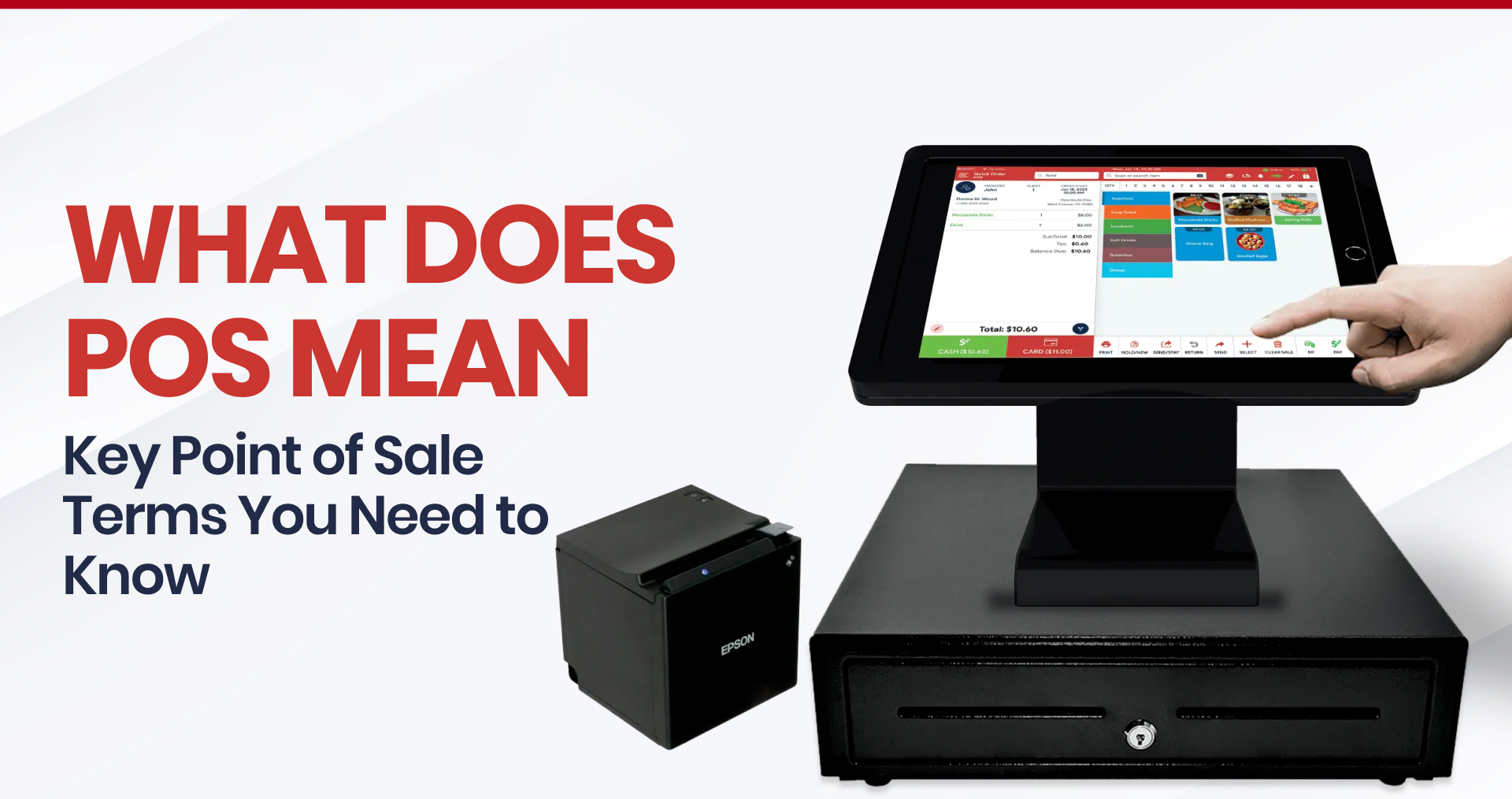
Table of Content
- 1. What Does POS Mean?
- 2. Why It’s Important to Know Your POS Terminology
- 3. The Most Important POS Terms and What They Mean
- Common POS Hardware Components:
- POS Terminal / Register / Touchscreen
- Why it matters:
- D. Traditional vs. Cloud-Based vs. Hybrid POS Systems
- E. Back‑Office System / Analytics / Reporting
- F. Kitchen Display System (KDS)
- G. Inventory Management vs. Profit Management
- H. Payment Processing
- I. Tableside / Mobile Ordering
- J. Loyalty, Gift Cards, Reservations, Online Ordering
- K. Staff Management & Permissions
- L. Thermal vs. Impact Printer
- M. System Onboarding & Support
- Choosing the Right POS for Your Business
- Final Thoughts
- Frequently Asked Questions
Today’s competitive business environment requires more than just passion and excellent products, particularly in fast-paced sectors like retail, services, and hospitality.
Having the appropriate tools in place is essential for seamless operation, effective scaling, and rapid adaptation behind the scenes. One of the most important? Your POS (point of sale) system.
What does POS mean, and how does it fit into your daily operations? Why is learning POS terminology key to making informed tech decisions? What are the most important POS terms you should know?
Understanding what a point of sale (POS) is and how platforms like Quantic POS can benefit your business is crucial, whether you’re starting a café, operating a restaurant with multiple locations, or modernizing your retail technology.
A smart point-of-sale (POS) such as Quantic serves as a central hub that powers everything from real-time analytics and customer engagement to inventory and staff management. It is much more than just a means of processing payments.
In this article, we’ll explore:
- What does POS mean, and how does it fit into your daily operations
- Why learning POS terminology is key to making informed tech decisions
- The most important POS terms you should know
With this understanding, you’ll be better equipped to select, personalize, and optimize your point-of-sale (POS) system.
Throughout this guide, we’ll draw on insights from Quantic’s extensive feature set and industry best practices to help you understand not only what a POS system is but also why choosing the right one is essential.
1. What Does POS Mean?
The first step in understanding any POS system is answering a simple but important question: What does POS mean?
At its simplest, POS stands for Point of Sale – the precise time and location of a transaction. Point-of-sale (POS) refers to the complete system that facilitates the sales process, from the front-end interface to the back-end infrastructure, particularly in restaurants, cafés, retail establishments, and service-based businesses.
This was traditionally used to describe the checkout counter or cash register, where a customer pays for goods or services and gets a receipt.
At this point, the seller determines the amount owed, processes the payment, and finalizes the transaction.
However, in today’s rapidly evolving business landscape, the definition of a POS has expanded to encompass much more than just the transaction itself.
This includes a combination of:
Software
It includes modules for employee management, sales tracking, order entry, and comprehensive reporting, enabling businesses to make data-driven decisions, manage staff efficiently, and monitor performance with ease.
Hardware
It includes a variety of essential equipment such as cash drawers, tablets, barcode scanners, receipt printers, and POS terminals, all designed to streamline service and facilitate seamless transactions
Integrated Payment Solutions
Ensures a safe and easy checkout process for customers by supporting a number of payment methods, such as contactless payments, digital wallets (like Apple Pay or Google Pay), and credit/debit cards.
Cloud-Based Technology
Offers real-time access to data, centralized management across multiple locations, and capabilities like mobile ordering, providing flexibility and enhanced control for business owners, whether they’re on-site or remote.
For instance, a modern point-of-sale system, such as Quantic POS, is made to do more than just process transactions; it also streamlines processes, improves customer satisfaction, and generates business insights.
Today’s POS is a dynamic, all-in-one command center for your business, whether it’s a manager reviewing sales data remotely, a retail associate checking out a customer via a mobile terminal, or a server sending orders straight to the kitchen.
Choosing the best solution, one that fits your workflow, grows with your company, and streamlines daily duties, requires an understanding of the broader definition of point-of-sale (POS).
2. Why It’s Important to Know Your POS Terminology
A comprehensive understanding of this technical terminology is essential, as knowledge grants significant influence within the sphere of contemporary business technology.
You can make better, quicker, and more economical decisions in every area of your business by being aware of the fundamental terms used in point-of-sale systems. Here’s how:
Clearer Communication with Vendors and Support Teams
Understanding important terms like cloud-based point-of-sale (POS), thermal printer, kitchen display system (KDS), or payment gateway will help you communicate with vendors more effectively.
It also allows you to discuss your needs confidently and avoid getting bogged down in technical jargon during setup or demo talks.
Faster Troubleshooting and Fewer Downtime Surprises
You can spot issues more rapidly if you know the difference between an impact printer and a receipt printer, or if you know what offline mode or auto-syncing means in your system.
Although you don’t have to be a technology expert, having some knowledge will help keep things running smoothly.
More Effective Staff Training and Fewer Support Calls
Routine problems can be resolved immediately when your staff is aware of the fundamentals of your point-of-sale system, such as how to restart the router, replace printer paper, and reconnect a payment terminal.
This lessens the workload for your management team and the need for outside assistance.
Smarter Buying Decisions
Do you require a cloud-based solution?
Is your floor plan well-suited for a mobile point-of-sale terminal?
Would throughput be increased during peak hours with a self-serve kiosk?
By understanding these terms, you can choose solutions that align with your business model and avoid overspending on unnecessary features.
3. The Most Important POS Terms and What They Mean
Speaking the language is just as important as having the appropriate tools in today’s tech-driven retail, hospitality, or service industries.
A carefully selected glossary of key POS terms is provided below to help you confidently handle discussions with your team, technology suppliers, and support specialists.
Knowing these terms ensures that you’re making the most of your POS system rather than just using it.
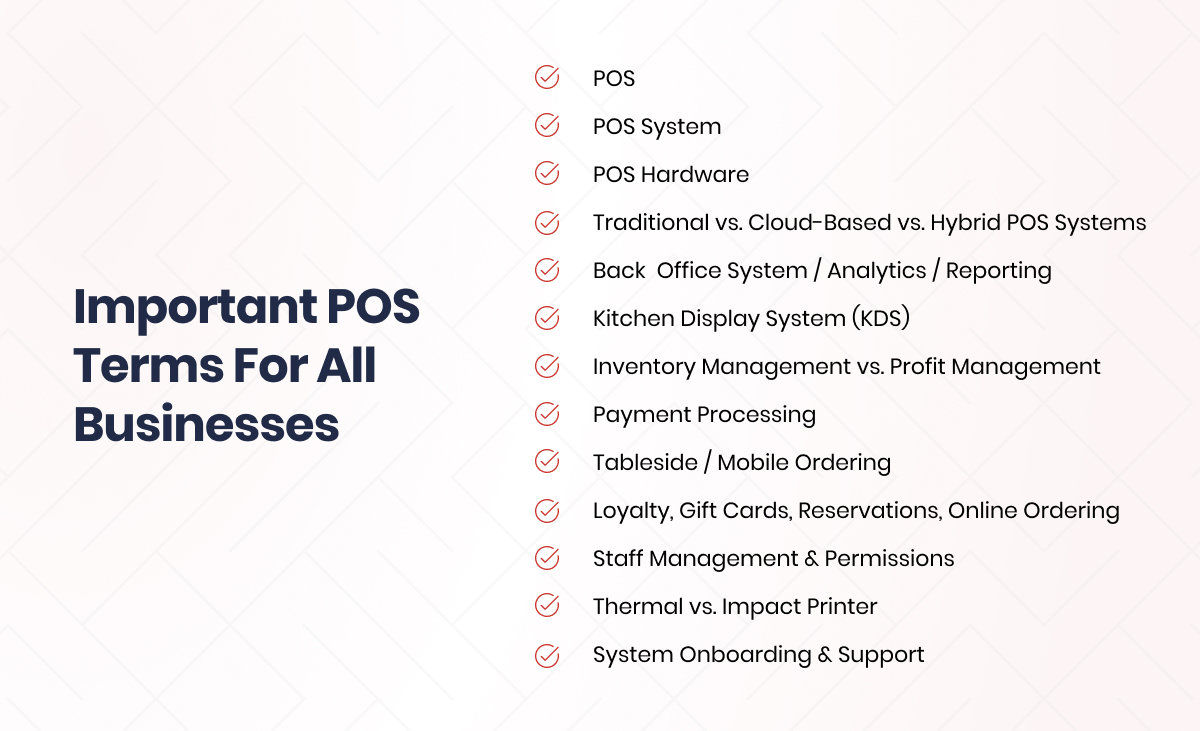
A. POS
Definition:
Point of Sale (POS) refers to the moment and location where a transaction occurs when a customer pays for goods or services.
In a modern context, however, the term also encompasses the entire system, both hardware and software, that facilitates this exchange.
Why It Matters:
It is essential to comprehend POS as a system rather than merely a point of payment.
It solidifies your understanding of how different parts, from analytics to order entry, interoperate.
This includes real-time data syncing, payment integration, mobile ordering, and user-friendly interfaces with Quantic POS.
B. POS System
Definition:
A point-of-sale (POS) system is a hardware and software combination used by businesses to track inventory, manage sales, process payments, supervise employee activity, and interact with customers.
It serves as the operational foundation of any modern retail, hospitality, or service-oriented company.
Key Types of POS Systems:
1. Traditional (Legacy) POS
- Keeps information locally on servers.
- Functions on a closed network, usually in a single place.
- Requires on-site maintenance and wired infrastructure.
- Limited adaptability for multi-location operations or remote management
2. Cloud-Based POS
- Uses the internet to store and process data on distant servers.
- Enables access from any internet-connected device.
- Perfect for mobile operations or businesses with multiple locations
- Allows for rapid scalability, remote troubleshooting, and real-time updates.
3. Hybrid POS
- Integrates local and cloud infrastructure
- For speed and resilience, transactions are processed locally.
- Automatically transfers data to the cloud for remote access and backups.
- Beneficial in environments with unstable internet or heavy traffic (such as crowded eateries or pop-ups).
Why It Matters:
The mobility, cost structure, data security, system dependability, and management flexibility of your company will all be directly impacted by the type of point-of-sale system you select.
Quantic POS offers robust cloud-based capabilities, including mobile terminals, real-time syncing, and web-based dashboards.
C. POS Hardware
Definition:
POS hardware refers to the physical components that make up your point-of-sale system.
These devices work in tandem with POS software to process transactions, communicate orders, manage inventory, and facilitate day-to-day operations.
The right hardware setup is essential for creating a smooth and efficient workflow tailored to your business’s unique needs.
Common POS Hardware Components:

POS Terminal / Register / Touchscreen
A touchscreen monitor, a conventional desktop, or a mobile device like an iPad can serve as the focal point of your point-of-sale system.
Employees handle front-end duties, process transactions, and enter orders there.
Tableside ordering and retail floor checkouts are made flexible with Quantic POS’s mobile terminals and tablet-based registers.
Receipt Printer
Orders tickets for the kitchen or bar and prints transaction receipts for customers in hospitality settings.
- Thermal Printers: They are quick, silent, and perfect for front-of-house receipts; they use heat-sensitive paper.
- Impact Printers (Dot-Matrix): Ideal for kitchen tickets, they are long-lasting in hot conditions and use ink ribbons.
Quantic supports a variety of printers that integrate seamlessly with both customer receipt and kitchen operations.
Cash Drawer
A safe place to keep actual currency. usually connected to the receipt printer, allowing it to open automatically following a cash transaction.
Still crucial for companies with higher cash volumes or a variety of payment methods.
Barcode Scanner
Primarily used in retail, barcode scanners enhance accuracy, streamline inventory management, and accelerate product entry.
- Integrated or portable
- Allows for quick checkouts and real-time inventory updates in Quantic and other POS systems.
Payment Terminal / Card Reader / EFTPOS Device
Manages the safe processing of contactless, chip, debit, and credit payments (such as Google Pay and Apple Pay).
- PCI-compliant and frequently compatible with split payments, tips, and signature capture. In addition to supporting mobile and countertop card readers, Quantic integrates with a number of payment processors.
Kitchen Display System (KDS)
Traditional kitchen printers are being replaced by digital screens that show orders in real time in prep areas or kitchens.
- Minimizes missed orders and paper clutter
- Enhances kitchen productivity and facilitates ticket routing by prep station.
The KDS solution from Quantic assures precise, timely food preparation and improves communication in the kitchen.
Router / Networking Equipment
Ensures that every piece of hardware is linked, both locally and online, for cloud-based functionality.
- Maintaining device synchronization and reducing downtime requires a dependable router and network switch.
- Supports a variety of mobile devices, printers, and terminals
Strong networking enables seamless offline and cloud-based operation for Quantic’s hybrid architecture.
Why it matters:
There isn’t a single POS hardware configuration that works for all companies.
Your customer flow, service style, and space layout all influence the best combination.
Whether you’re operating a retail boutique, a food truck, a fast-casual establishment, or a fine-dining restaurant, knowing what each component does enables you to customize your POS infrastructure.
Because of Quantic POS’s hardware flexibility, you can easily scale and adjust as your company expands or changes.
D. Traditional vs. Cloud-Based vs. Hybrid POS Systems
Although we briefly discussed POS system types earlier, a closer look reveals significant variations that impact infrastructure, cost, scalability, and reliability.
Traditional POS
Description:
Legacy systems are usually hardwired into a network and store data locally on on-site servers.
Pros:
- Performs reliably without internet
- May be required for highly regulated environments
- Data is kept in-house
Cons:
- Expensive upfront hardware and software licenses
- Difficult to scale or upgrade
- Limited or no remote access
Best suited for: Single-location companies that need to comply with regulations or have fixed infrastructure.
Cloud-Based POS
Description:
Runs exclusively on software that is connected to the internet, and the data is stored on safe cloud servers.
Pros:
- Access your business from anywhere
- Lower upfront costs (subscription-based)
- Seamless software updates
- Easier integration with add-ons and third-party apps
Cons:
- Requires reliable internet
- Costs can scale with additional features
- Data is stored off-site (may raise privacy concerns for some)
Best suited for: Fast-paced, modern businesses that prioritize scalability, mobility, and remote access.
Hybrid POS
Description:
A mix of local and cloud systems. synchronizes data with the cloud and handles transactions locally.
Pros:
- Fast, offline transaction processing
- Data is backed up to the cloud
- Maintains uptime even with internet outages
Cons:
- Slightly more complex setup and maintenance
- Requires consistent syncing to avoid data conflicts
Best suited for: Restaurants with large customer volumes, event spaces, or any other company that requires both adaptability and resilience.
Quantic POS is a cloud-based POS solution that is also highly scalable, modern, and well-suited for growing hospitality and retail businesses.
It provides real-time access to sales, inventory, and customer data from anywhere, empowering business owners to manage operations across multiple locations with ease.
E. Back‑Office System / Analytics / Reporting
Transactions are just one aspect of modern POS systems.
They give business owners comprehensive operational insights that let them maximize customer engagement, inventory, and staffing.
Sales Analytics:
View performance by time of day, server, category, or item. Determine the best-selling items and trends.
Inventory Tracking:
Track the levels of ingredients or products in real-time. Automate reordering and set alerts for low stock.
Scheduling & Payroll:
Keep track of clock-ins and export timesheets for payroll software.
CRM (Customer Relationship Management):
For focused marketing, record visitor information, past orders, loyalty trends, and preferences.
With the help of Quantic POS’s dashboards and configurable reporting tools, you can make data-driven decisions without the need for external tools.
F. Kitchen Display System (KDS)
With a KDS, digital screens that show incoming orders in real time take the place of conventional kitchen printers.
Benefits:
- Reduces paper waste
- Improves kitchen communication
- Minimizes missed or duplicated orders
- Enhances prep speed and order accuracy
- Allows color-coded ticket management (e.g., dine-in vs. takeout)
BOH operations and FOH activity are kept in sync with Quantic POS’s smooth KDS integration.
G. Inventory Management vs. Profit Management
Both are necessary, but they have different functions:
Inventory Management
- Provides alerts for low stock
- Supports stock audits and waste reduction
- Helps prevent over-ordering
Profit Management
- Monitors margins by item
- Accounts for food waste, theft, and pricing impact
- Offers advanced analytics for menu engineering and profitability
You can determine which of your menu items are the most and least profitable by using Quantic’s cost analysis tools.
H. Payment Processing
Leading payment processors should be integrated with an innovative point-of-sale system to provide quick, safe, and adaptable payment choices.
Pricing Models may include:
- Flat-rate or tiered transaction fees
- Bundled equipment options
- Pay-as-you-go contracts or long-term leases
Businesses can select their preferred financial partner thanks to Quantic POS’s hardware compatibility and multi-processor integration.
I. Tableside / Mobile Ordering
Serving customers is being revolutionized by mobile ordering, particularly in high-turnover or fast-paced settings.
Key Features:
- Employees take orders at the table using tablets or handheld devices.
- KDS or printers instantly transmit orders to the bar or kitchen.
- With portable card readers, payments can be made at the table.
- Decreases wait times and improves order accuracy
The full integration of mobile ordering with Quantic POS allows employees to remain on the floor and enhances customer satisfaction.
J. Loyalty, Gift Cards, Reservations, Online Ordering
Modern point-of-sale (POS) systems often support more comprehensive guest engagement and service tools, in addition to transactions.
These are typically available as modular add-ons, allowing you to tailor your system to meet your company’s specific requirements.
Loyalty Programs:
Give points, savings, or special offers to loyal customers.
Monitor consumer behavior and provide incentives for returns.
Quantic enables the creation of custom programs or integration with third-party loyalty platforms.
Gift Cards:
Give clients the option to buy or use prepaid gift cards, either digital or physical. Excellent for promotions and holidays.
Reservations:
Improve guest experience and service planning by managing table reservations online or straight from the point of sale system.
Online Ordering:
Give customers the option to place orders through your website or branded app, and have the orders go straight to the kitchen or POS system.
Inventory updates and kitchen display coordination are made easy with Quantic’s online ordering module.
K. Staff Management & Permissions
Using the POS to manage your staff ensures accountability, operational control, and streamlined HR procedures.
User Roles & Permissions:
Assign the following levels of access: cashier, manager, server, and administrator. Restrict or permit access to reports, discounts, voids, and private information.
Time Tracking:
Workers use the POS to clock in and out. Keep track of your attendance, breaks, and hours worked.
Performance Monitoring:
Create reports on order errors, upselling efficacy, sales per employee, and other topics.
To support daily operations as well as long-term planning, Quantic POS offers audit trails, staff insights, and granular role-based controls.
L. Thermal vs. Impact Printer
Choosing the appropriate ticket or receipt printer is important, particularly in environments with noise, heat, or oil.
Thermal Printers:
- Use heat-sensitive rolls
- Fast, quiet, and ideal for customer receipts at the front-of-house
- Not suitable for hot kitchens (paper fades or blackens)
Impact Printers (Dot-Matrix):
- Use ink ribbons to “strike” characters onto multi-layered paper
- Durable and reliable in harsh environments
- Preferred for kitchen or bar tickets where durability is key
Both kinds are supported by Quantic POS, which can intelligently route tickets (impact for BOH, thermal for FOH).
M. System Onboarding & Support
The support that goes along with the features is just as important to the success of your point-of-sale system.
Support Channels:
Seek out 24/7 phone, email, and live chat support to get problems fixed fast.
Training Resources:
Includes searchable documentation for onboarding and continuing education, webinars, tutorials, and how-to videos.
Setup & Installation:
Help with menu creation, software configuration, staff training, and hardware installation.
Data Migration:
Import customer information, staff profiles, inventory lists, and menus from your old POS or spreadsheets with ease.
Choosing the Right POS for Your Business
It’s time to assess which POS system best fits your company now that you are familiar with its basic terms and features.
Making the correct decision upfront saves time, money, and frustration later on because POS selection is a long-term decision that affects operations, customer experience, and profitability.
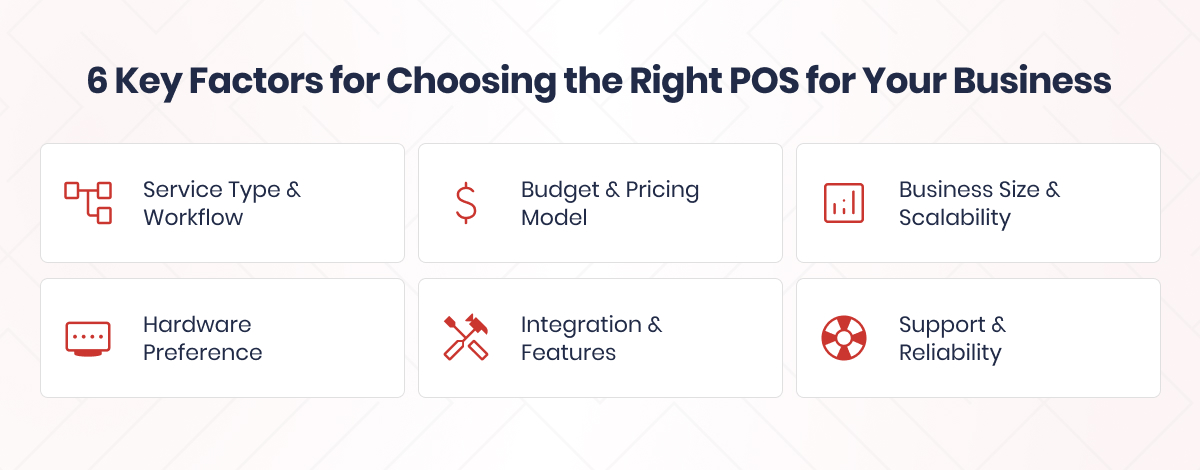
When choosing your ideal point-of-sale setup, keep in mind the following 6 essential factors:
1. Service Type & Workflow
The way you serve customers will directly influence the hardware, software, and features you need:
Table-Service Restaurants
Require robust features like:
- Tableside ordering with tablets
- Kitchen Display Systems (KDS) for streamlined BOH coordination
- Check splitting and tip handling
- Coursing and table layout mapping
Quick-Service / Counter-Service / Retail
Need speed and simplicity:
- Barcode scanners for fast product lookup
- Handheld POS devices for line busting or outdoor service
- Pre-configured product buttons for quick item entry
All of these models are supported by Quantic POS, which also offers modules customized to your workflow and flexible device compatibility.
2. Budget & Pricing Model
Your POS strategy will be shaped by your current investment capacity and your level of comfort with making monthly commitments.
Cloud-Based POS
- Lower upfront hardware costs
- Subscription-based pricing (predictable monthly fees)
- Includes updates and support in the plan
- Scales easily
With enterprise features and competitive cloud-based pricing, Quantic strikes a balance between performance and affordability.
3. Business Size & Scalability
Do you manage multiple locations with shared menus and reporting, or are you a startup operating in a single location?
Single Location / Small Team
- Look for ease of use, minimal setup, and affordable hardware
- Essential features: basic inventory, payment integration, receipts
Multi-Location / Growing Operation
Requires advanced features:
- Centralized menu and pricing control
- Multi-terminal sync
- Unified analytics across locations
- Franchise support and permissions management
Real-time syncing across numerous terminals and locations is made possible by Quantic’s cloud and hybrid architecture.
4. Hardware Preference
Select hardware based on user familiarity, budget, and available space:
iPad-Based POS
- Sleek, portable, easy to train on
- Ideal for modern counter setups or mobile service
- Works well with KDS and wireless printers
Android POS
- Better for full-service setups or more durable needs
- Often used in traditional restaurant or retail environments
- Compatible with more robust peripherals and configurations
You have hardware flexibility with Quantic POS since it runs on iOS, Android, and conventional setups.
5. Integration & Features
Think about the third-party integrations and modules that are necessary for your business:
- Inventory Management – real-time tracking, alerts, and reporting
- Loyalty & Gift Cards – build repeat business and boost revenue
- Online Ordering – accept orders through your website or mobile app
- CRM & Customer Insights – gather guest preferences and improve service
- Third-party tools – like accounting software, payment processors, or delivery platforms
Quantic offers all of the above either natively or through integration with major providers.
6. Support & Reliability
Dependable support and system uptime are essential because your point-of-sale system is your lifeline during peak hours.
Support to Look For:
- 24/7 customer assistance via phone, chat, or email
- Onboarding, training, and setup help
- Fast response times for issues or outages
Reliability Features:
- Cloud Backup: No data loss during crashes or disconnects
- Automatic Updates: Stay current with security and performance improvements
All of these components are present in Quantic POS, ensuring seamless operations even during peak hours.
Final Thoughts
Having a clear understanding of what does POS mean and its surrounding ecosystem allows your business to make more informed decisions, train more quickly, and grow with confidence.
When you’re fluent in POS terminology, you can:
- Evaluate systems and vendors with confidence
- Customize setups that match your operations
- Train staff more effectively
- Troubleshoot and maintain systems with less downtime
Knowing the language of your tools is the first step towards making wise decisions, regardless of whether you choose a hybrid system like Quantic POS, a cloud-based system, or a legacy system.