
Quick Service Restaurants
How to Start a Takeout Order?
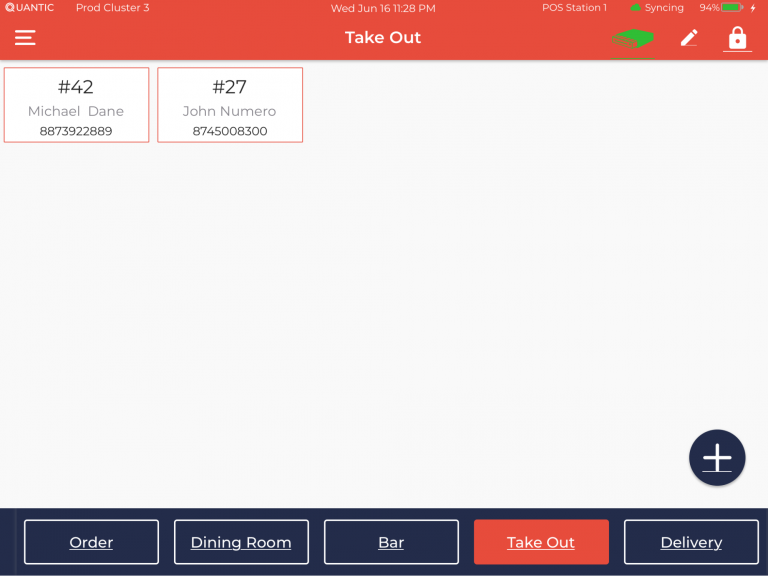
To start a takeout order, tap on the Takeout service area as seen in the screenshot.Now tap the  button.
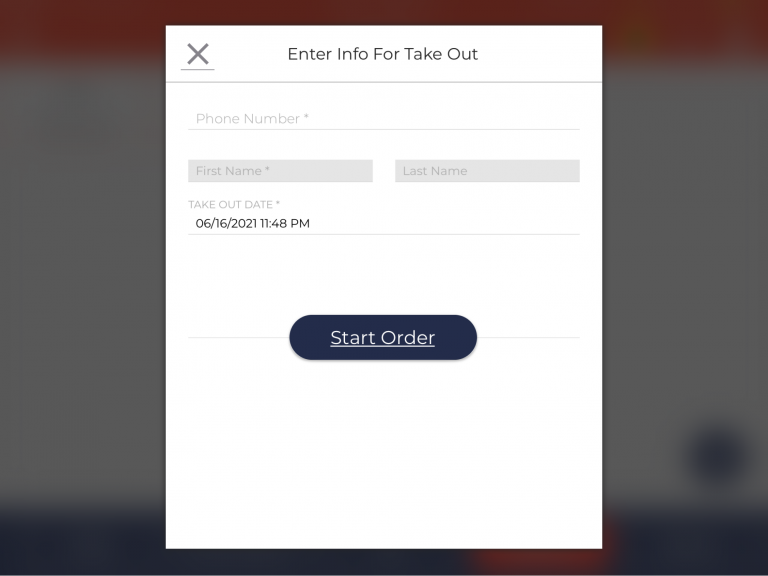
Enter the information for the takeout - phone number and name.
Finally, Click  button to proceed. Please refer to the screenshot.
How to Enable and Disable the SMS Notifications?
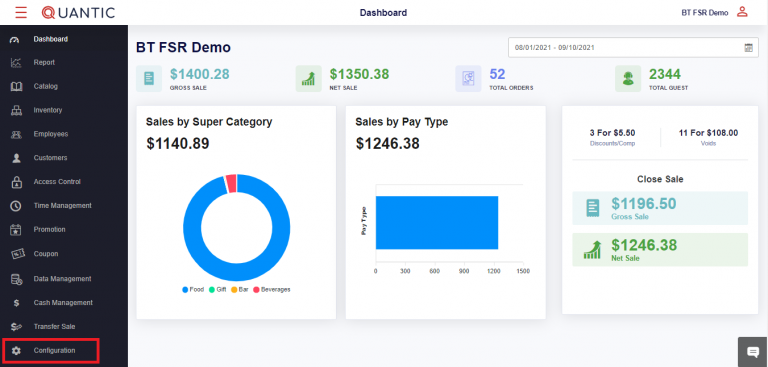
Login to the backend portal. Click the left navigation button and tap on Configuration.
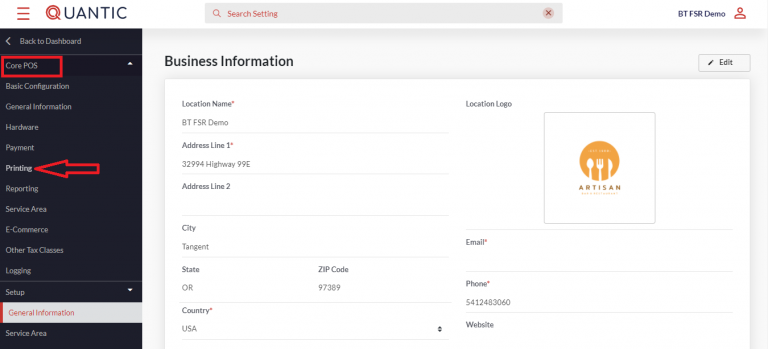
On the left side panel click Core POS and tap the Printing option on the expanded section.
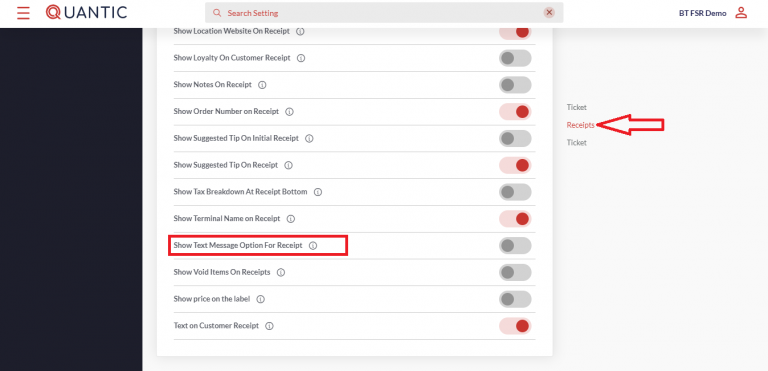
Go to the Receipt section and enable or disable the Show Text Message Option for Receipt. Check the screenshot for clarity.