What Is a POS System and How Does It Work?

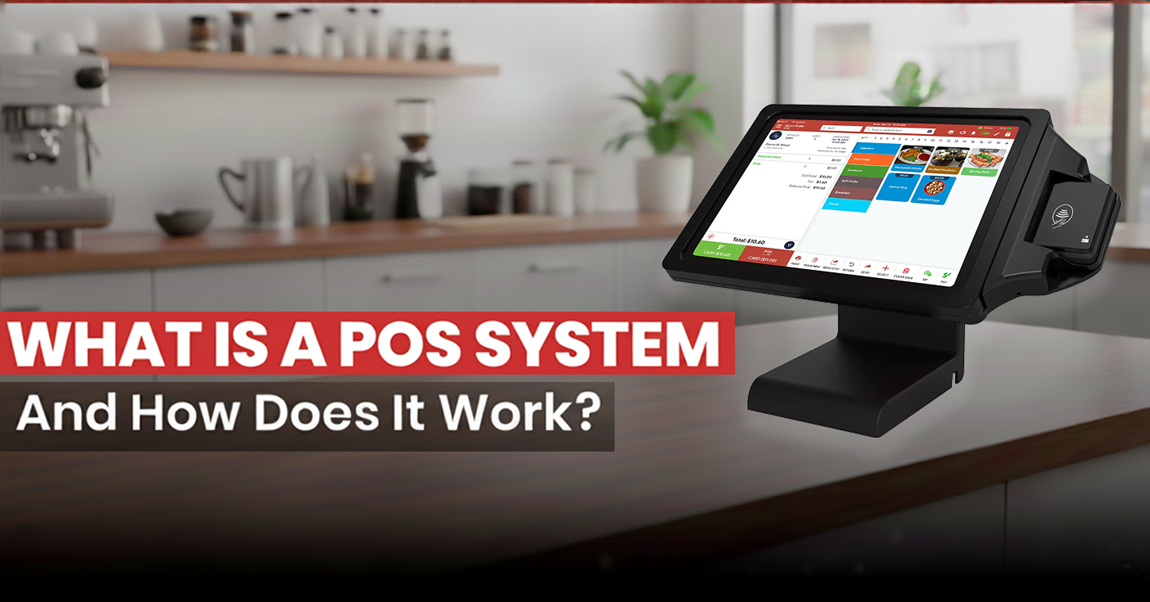
Table of Content
A Point of Sale (POS) system is a combination of hardware and software that businesses use to process transactions, accept payments, and manage sales. Modern POS systems also support inventory tracking, employee management, customer data, and sales reporting, helping businesses streamline daily operations and improve efficiency.
When you run a restaurant business, whether it’s a cafe, retail store, liquor store, or more, you need to manage inventory, track sales, handle payments, and analyze reports in real time. So, to perform all these business operations, you need a POS system.
Now, it’s time to understand what a POS system is and what it does. A POS system is the centralized backbone of businesses (restaurants or retailers) where transactions take place. It streamlines operations, improves staff efficiency, and delivers a better customer experience.
The global point-of-sale market size was valued at USD 38.56 billion in 2025 and is projected to grow from USD 44.6 billion in 2026 to USD 138.92 billion by 2034, at a CAGR of 15.3% during the forecast period.
In this blog, you will explore more about what a POS system is, the types of POS, how POS works, and why it is important for businesses.
What is a POS System?
A POS system combines hardware and software that lets businesses process transactions and manage operations.
Whether you have an online store, restaurant, retail shop, liquor store, bar, vape store, CBD store, or more.
It is the platform where customers make payments for goods and services at checkout.
Earlier POS systems were simple cash registers used to calculate totals and store cash. Customers used to pay money in cash and got a paper receipt.
Now, POS systems have become more advanced solutions that integrate with software and hardware (such as barcode scanners, touchscreens, receipt printers, and card readers) to streamline business operations.
As per the research, over 85% of small businesses now use POS systems for daily transactions.
Types of POS Systems: Cloud-Based vs. On-Premise
Choosing the right POS is important for businesses, and the type of POS you are looking for is either on-premises or cloud-based. Each POS type has its own benefits and business requirements.
You can choose these POS systems as per your operations, financial plan, and expansion strategy.
1. Cloud-Based POS Systems
A cloud-based POS is a web-based POS system that combines both software and hardware and stores data on cloud servers.
Key Features:
- Remote Access – POS runs your business from internet-connected devices like laptops and tablets. It is beneficial for businesses with multi-location outlets.
- Cloud Storage – Storing customer data and information off-site increases the risk of data loss. With cloud-based POS, your sensitive information will be encrypted, PCI-compliant, and stored in the cloud.
- Automatic Updates – With cloud-based POS, your system stays up to date automatically and gets the latest security updates.
- Low Upfront Costs – POS also comes with a subscription service with low upfront costs.
Best For:
- Small to medium-sized businesses.
- Multi-location businesses.
- Restaurants and Retailers.
- Owners without dedicated IT resources.
2. On-Premise POS Systems
On local servers or PC, businesses can install on-premises POS at their location. They can work seamlessly without any internet connection, as their data is processed internally.
Key Features:
- Data Ownership – Businesses will have complete control over their data because it is stored on their PC or local server.
- No Internet Needed – On-premises POS may operate without internet access, so an unstable internet will not impact business operations.
- Customizable – These POS systems are highly adaptable; they meet complex & large-scale operations.
- High Initial Costs – On-premises POS requires a high upfront cost for large servers, licenses, and infrastructure.
Best For:
- Businesses with IT departments.
- Businesses with limited internet access.
- High-volume businesses.

How Does a POS System Work at a Small Business?
A POS system simplifies sales, inventory, reporting, customer service, and more.
Here you will explore how the POS system operates for small businesses:
1. Item Selection
Working with a POS begins with the purchase. When the customer makes a purchase, the salesperson or cashier selects the item. This selection reduces manual error and ensures accurate item entry. It can be achieved in different ways:
- Barcode Scanning – Once a product is scanned, the item will be displayed immediately.
- Search Functionality – With product names or SKUs, staff members can verify the purchased products.
- Touch-Screen interface – In cafes or restaurants, employees can choose items from the touchscreen menus.
2. Price Calculation
This process ensures accurate pricing and product selection. After adding each item to the cart, the POS calculates these things.
- Purchase subtotal.
- Applying taxes.
- Applying discounts, promotions, and loyalty points.
3. Payment Processing
Once the chosen product price is calculated, the customer has to select their preferred payment method. These payment gateways ensure compliance with industry standards, such as PCI DSS, implemented on the POS to process transactions. Research shows that over 89% of global POS transactions are cashless in 2025, highlighting the dominance of digital payments.
The POS systems typically support:
- Cash
- Credit and Debit Cards
- Mobile Wallets
- Gifts Cards
4. Receipt Generation
Once the payment is made, the system creates the receipts. These digital receipts help businesses to increase post-purchase interaction with clients. As per the reports, 60% of consumers prefer digital receipts due to convenience and ease of storage.
Customers have various options, such as:
- With the receipt printer, print receipts.
- Digital receipts can be sent by email or message during the exchange or return of products.
5. Inventory Update
Once the product is purchased, two problems occur frequently: stockouts and overstocking. To prevent these problems, real-time inventory tracking is implemented in the POS. As the transaction is completed, the POS does the following:
- Identifies the low-stock items for restocking.
- Real-time deduction of sold products from inventory.
- Manages inventory across all locations.
6. Sales Recording and Reporting
After the product is purchased, the POS automatically tracks each transaction. There is no need for manual bookkeeping. Businesses can use this data to forecast demand, track performance, and make data-driven decisions. You can access this data in the following ways:
- Sales dashboards.
- Daily, weekly, and monthly reports.
- Using integrated accounting tools like QuickBooks Online.
What Does a POS System Include?
The two primary parts of a full Point of Sale (POS) system are usually hardware and software.
Together, these components enhance sales, track inventory, and streamline operations to ensure both customers and employees have a smooth and effective experience.
1. Hardware: The Physical Tools That Power Transactions
The devices used to support and facilitate sales operations are called POS hardware. Depending on the business type, the POS hardware can vary and consist of:
- POS Terminal
- Touchscreen monitor
- Receipt printer
- Barcode scanner
- Cash drawer
- Card reader or payment terminal
- Customer display system
- Weighing scales
2. Software: The Brain Behind the Operation
POS software is a platform that runs on hardware and supports a wide range of business operations. POS software offers various key features, such as:
- Sales processing
- Inventory management
- CRM
- Employee Management
- Reporting and Analytics
- Multi-Location Management
Key Benefits of Using a POS System in Your Business
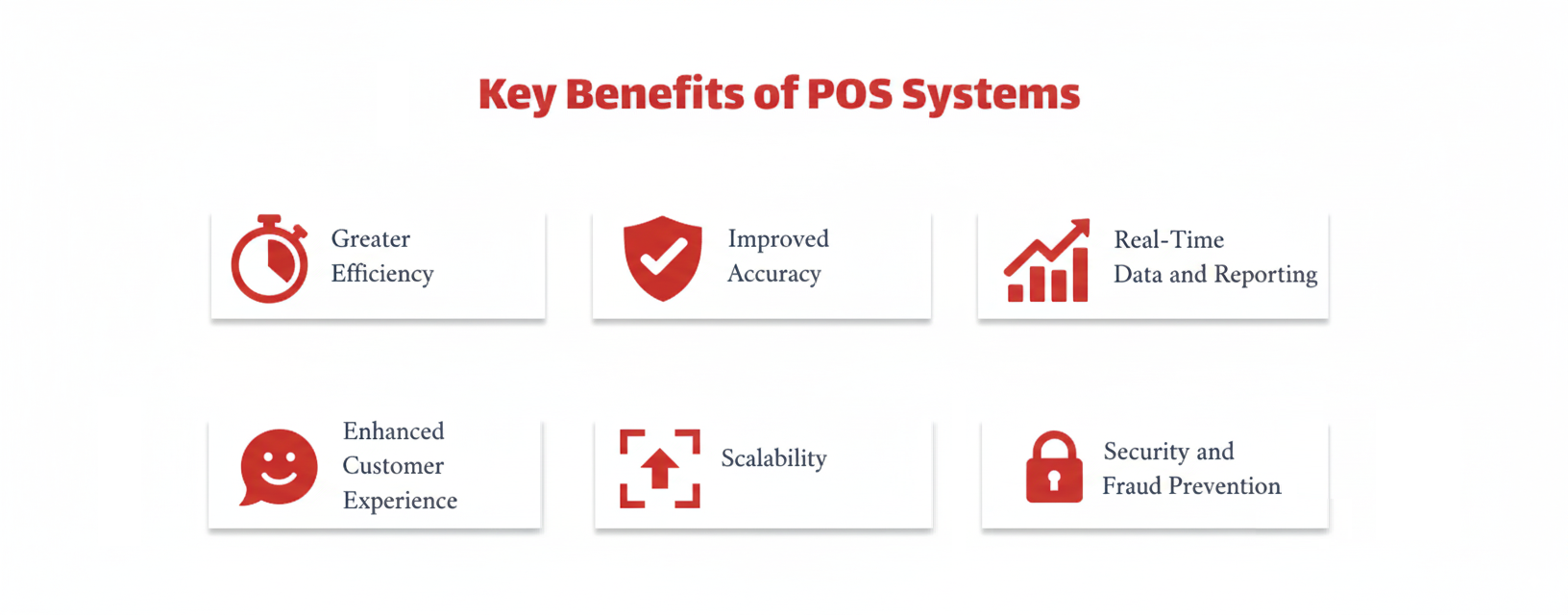
POS systems play a crucial role in managing the various business operations that depend on the type of business you have, whether a restaurant or a retail shop.
Here are some key benefits of using a POS system in your business:
1. Enhanced Efficiency
A POS system is capable of handling complicated manual tasks, which frees up your staff to focus on customer service and other important business operations, such as:
- It simplifies the checkout process using digital payment methods and barcode scanning, allowing businesses to have quick checkouts.
- Studies show barcode-enabled POS systems can improve checkout speed by around 18% compared to manual processes.
- It tracks real-time stock levels and inventory and notifies you to place a new order.
- It manages staff using clock-in/clock-out features and scheduling tools.
2. Improved Accuracy
A POS system improves order accuracy and minimizes manual errors by automating calculations and data entry.
- It records detailed sales data and maintains accurate records with better insights.
- It provides precise pricing and calculates taxes on all goods and services.
- It tracks real-time inventory and helps you prevent overstocking and stockouts.
3. Real-Time Data and Reporting
58% of businesses use real‑time POS sales data to adapt pricing strategies, boosting revenue during peak seasons. A POS system provides access to real-time data, which is one of the crucial POS features:
- It provides quick performance reports by tracking sales, inventory, and profits.
- It provides advanced analytics and sales forecasting to support better planning.
- It offers valuable insights to make data-driven decisions by identifying best-selling and least-selling items, and customer preferences.
4. Improved Customer Experience
Modern POS systems can reduce checkout time by 15–30%, significantly improving customer satisfaction during peak hours. A quick checkout experience helps businesses build customer loyalty and results in repeat customers.
- It helps to provide personalized services by accessing customer purchase history and preferences.
- It offers quick transactions and fast payment processing, reducing wait times during peak hours.
- It provides loyalty programs, rewards, and promotions that track and encourage repeat customers.
Industry-Specific POS Systems
Every business operates differently, depending on its requirements and processes.
To meet their operational needs, many POS providers offer industry-specific solutions designed to deliver seamless workflows, fulfilling regulatory requirements and customer expectations.
Here, you will explore industry-specific POS features that help you gain knowledge about your POS systems.
Restaurant Industry POS Systems
A restaurant POS system helps businesses to manage their FOH and BOH communication, payments, inventory, reporting, analytics, and more.
Below are the main categories of restaurant businesses, such as:
Full Service Restaurant
- Supports course-based ordering and customizing of modifiers.
- Enables tip splitting and tracks staff performance.
- Integrates a kitchen display system (KDS) for seamless restaurant operations.
- Provides table-mapping and reservation management features for customers.
Quick Service Restaurant (QSR)
- Enables quick order entry and manages real-time orders.
- Provides support for counter service, takeout, and drive-thru operations.
- Enables configuring combo meals and upsell prompts.
- Provides online ordering and delivery integrations.
Cafe
- Provides a user-friendly interface for quick menu navigation.
- Provides support for loyalty programs, gift cards, and prepaid cards.
- Enables seamless multi-device ordering, like a counter, table, and mobile.
- Provides compact hardware for limited spaces.
Bagel Shops
- Enables quick re-orders for repeat customers.
- Supports touchscreen-based quick order entry.
- Provides preset modifiers for common combinations.
- Provides time-based menu scheduling for bagel shops.
Food Truck
- POS provides real-time sales tracking and reporting for food trucks.
- Provides compact and mobile-friendly POS devices (tablet-based).
- Offers an easy-to-use interface for small teams.
- Includes an offline mode for unreliable internet connectivity.
Deli Shop
- POS provides quick service order tickets and labels.
- Supports custom sandwich building with modifiers.
- Enables handling weighted items and flexible pricing.
- Provides loyalty rewards and tracks customer preferences.
Bar
- Supports age verification and tab management.
- Enables automating happy hour pricing and promotions.
- Quick UI for high-volume services.
- Enables fast order processing and handling payments.
Retail Industry POS Systems
High transaction volume, inventory control, and customer relationship development are the main goals of retail point-of-sale systems.
The following are some ways that customized POS functionality helps various retail business types:
Retail (General)
- Barcode scanning and product look-up
- Inventory and supplier management
- Promotions, returns, and exchanges
- Omnichannel sales integrations
Grocery
- Integrated scales and weighted pricing
- Shelf label printing and inventory restocking
- Fast, multi-lane checkout support
- Accepts various payment types
CBD Store
- Compliance tools for age and purchase limits
- Batch tracking and product education info
- Customer profiles and purchase history
- Marketing tools for returning customers
Vape Store
- Age verification and ID scanning
- Extensive product variant tracking (flavors, sizes)
- State compliance and tax reporting
- Accessory bundling and combo deals
Mini Market
- Multi-category inventory tracking
- Basic grocery and convenience item support
- Support for recurring promotions and bundles
- Simple, intuitive interface for varied staff skill levels
Liquor Shop
- Age verification and compliance tracking
- Product categorization by brand/type
- Promotions and mix-and-match discount handling
- Inventory monitoring with expiration and batch codes
Gift Shops
- Gift wrapping and add-on sales features
- Customizable receipts and packaging options
- Seasonal inventory tracking
- Prepaid gift card and loyalty integrations
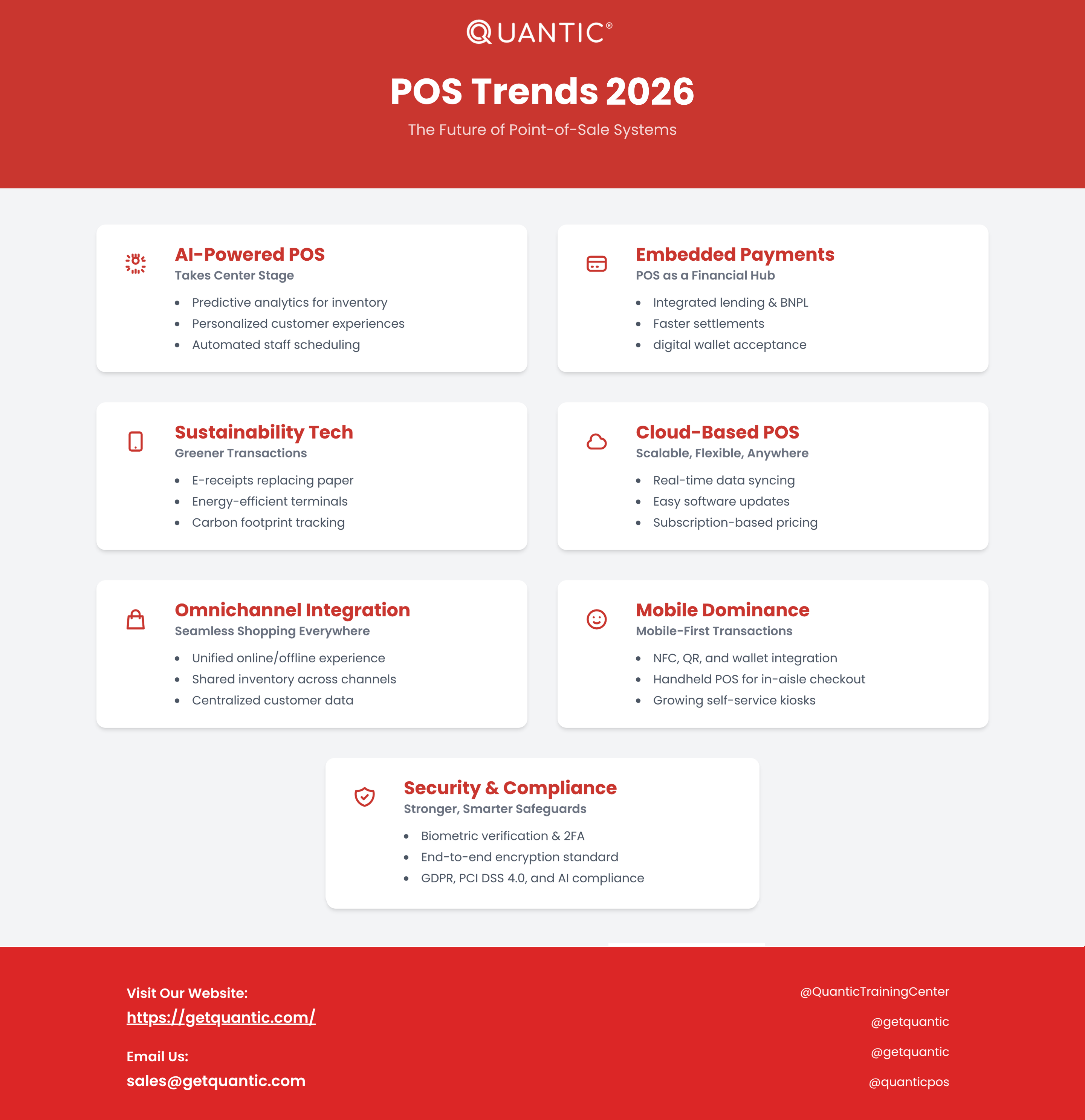
POS Trends 2026: The Future of Point-of-Sale Systems
 6 Best Restaurant Digital Signage Platforms in 2026