15 Essential Factors to Consider Before Choosing a Restaurant POS System

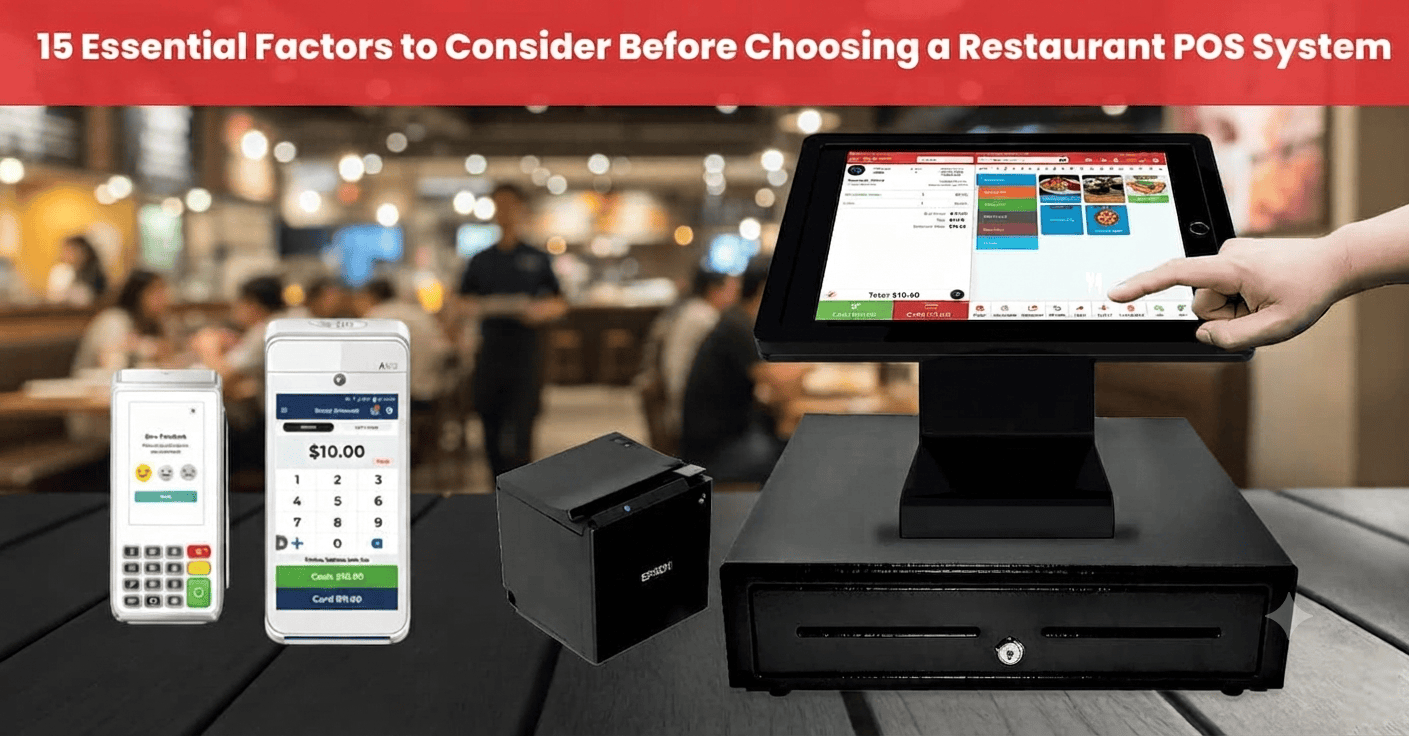
Table of Content
- Key Takeaways
- Restaurant POS Selection Checklist
- What Are the Essential Restaurant POS Features for Your Business?
- What Are the Key Considerations When Choosing a Restaurant POS System?
- 2. Ease of Use
- 3. Customization Capabilities
- 4. Integration with Other Tools
- 5. Inventory Management
- 6. Reporting and Analytics
- 7. Cloud-Based Access
- 8. Payment Processing Options
- 9. Hardware Compatibility
- 10. Customer Support
- 11. Security Features
- 12. Scalability
- 13. Staff Management Tools
- 14. Customer Relationship Management (CRM)
- 15. Mobile Compatibility
- Restaurant POS Costs: What Should You Consider?
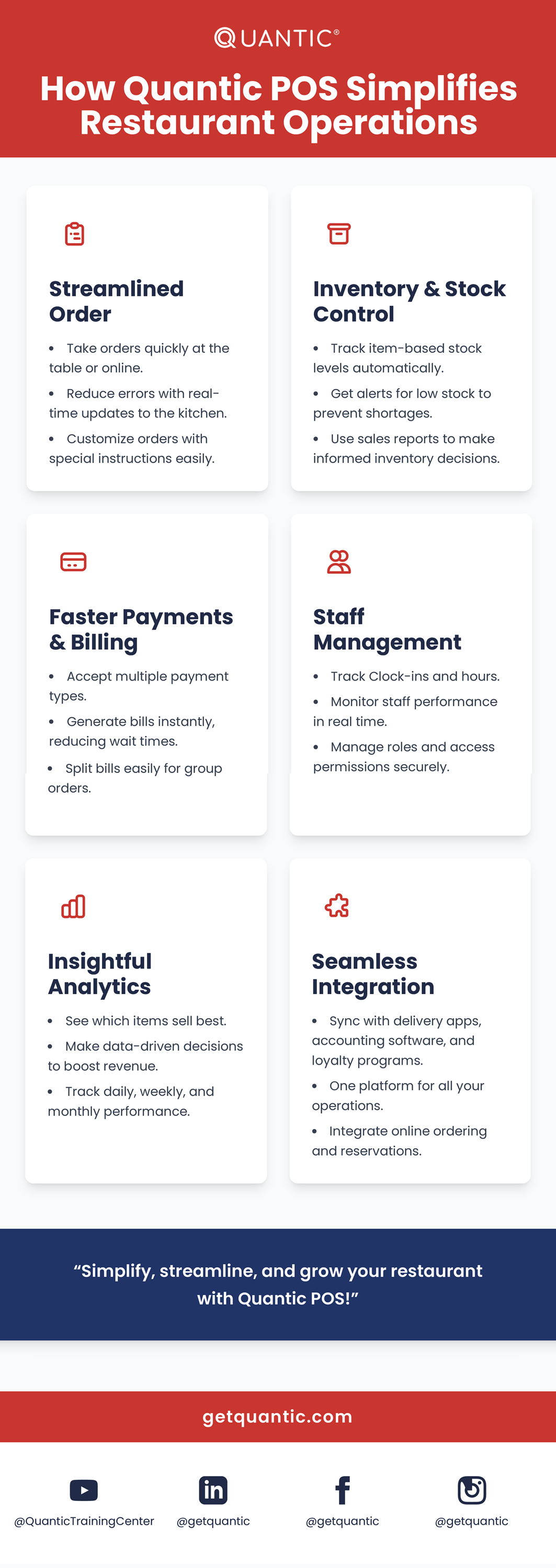
- How Quantic POS Simplifies Restaurant Operations
- Conclusion
- Frequently Asked Questions
- What is a restaurant POS system?
- Is a cloud-based or on-premises POS better for restaurants?
- What integrations should I look for in a POS?
- Are POS compatible with mobile devices?
- Where can I find a reliable POS for my restaurant?
- What is the average cost of a restaurant POS in 2026?
- What should I look for when choosing a restaurant POS system?
- How long does it take restaurant staff to learn a POS system?
The restaurant market is fast-paced and highly competitive in the USA. Choosing the right POS software is a crucial decision for these restaurants. After choosing the POS, you can manage staff, inventory, daily operations, and much more. The POS helps restaurants reduce errors and save time, driving profitability.
POS adoption has become a new standard across the restaurant industry. According to research, around 76% of restaurants in the USA have adopted advanced POS systems, while 59% have adopted mobile POS.
There are many POS options available in the market. Still, Quantic POS stands out in the USA for its robust reporting, easy-to-use interface, and flexible features across all restaurant types.
In this blog, you will explore 15 essential factors to evaluate while choosing restaurant POS software, which helps USA restaurants make data-driven decisions.
Restaurant POS Selection Checklist
| Factor | What to Look For |
|---|---|
| Ease of Use | Intuitive interface and quick staff training |
| Order Management | Dine-in, takeaway, delivery and online orders |
| Table Management | Table mapping, transfers, splitting and merging checks |
| Inventory | Real-time stock tracking and low-stock alerts |
| Payments | Integrated, secure and flexible payment processing |
| Reporting | Real-time sales and performance reports |
| Integrations | Accounting, delivery, KDS, loyalty and other tools |
| Hardware | Terminals, printers, KDS and customer displays |
| Support | Training, onboarding and responsive technical support |
| Pricing | Transparent software, hardware and processing costs |
What Are the Essential Restaurant POS Features for Your Business?
| Feature | Why It Matters | Best For |
|---|---|---|
| Table Management | Manage seating and table orders | Full-Service Restaurants |
| Quick Order Entry | Speeds up order taking | QSRs & Cafes |
| Inventory Management | Tracks ingredients and stock | Restaurants & Bars |
| Kitchen Display System | Sends orders directly to kitchen screens | Busy Kitchens |
| Online Ordering | Centralizes digital orders | Takeout & Delivery |
| Payment Processing | Simplifies checkout | All Restaurants |
| Employee Management | Tracks shifts, roles, and performance | Growing Restaurants |
| Reporting & Analytics | Helps identify sales trends | Owners & Managers |
| Customer Loyalty | Encourages repeat visits | Restaurants & Cafes |
What Are the Key Considerations When Choosing a Restaurant POS System?
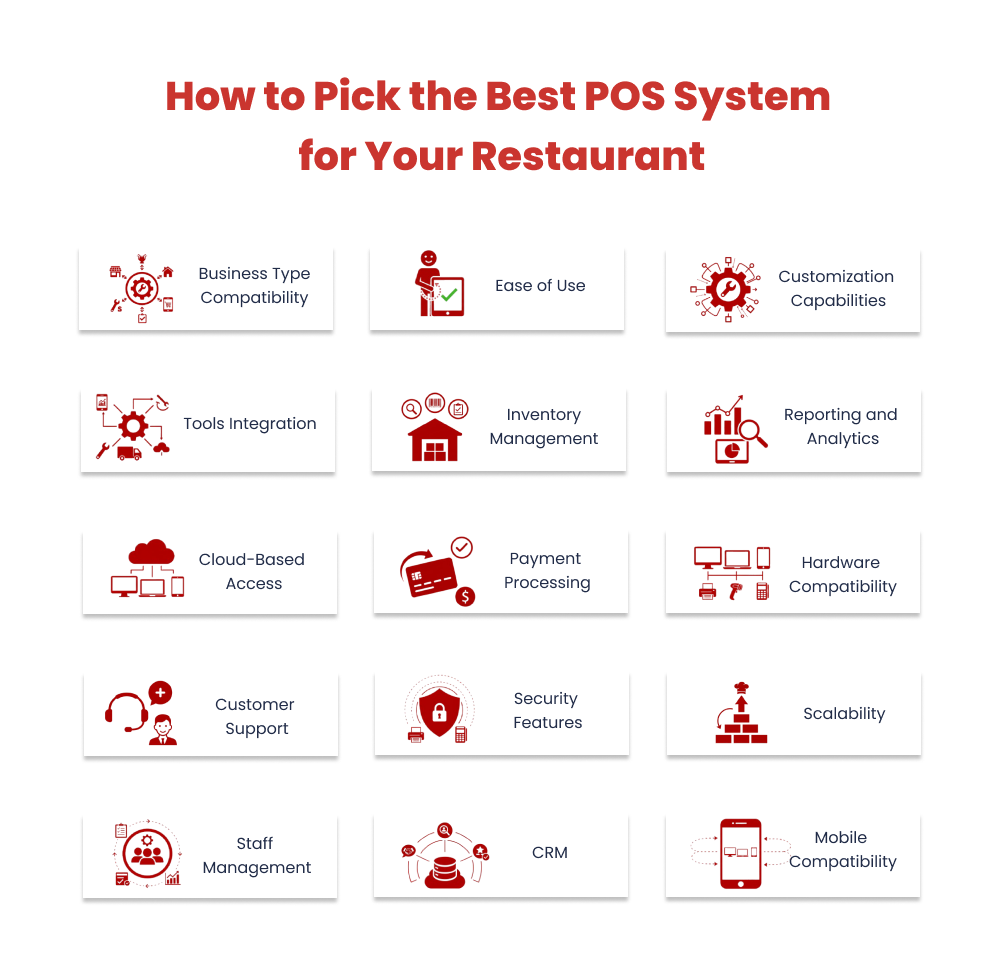
1. Business Type Compatibility
Various restaurant models are ruling the market. Each restaurant has different operational requirements as per its culture and cuisine. If the POS system you choose doesn’t align with your restaurant types, then it can affect your growth, reporting, and service. So, while choosing a restaurant POS, you should consider business compatibility and types.
Why This Matters:
- For quick-service restaurants, Restaurant POS manages order entry and menu changes quickly. In this type of restaurant, staff can choose modifiers and process orders without slowing the service.
- For fine-dining restaurants, Restaurant POS offers a wide range of features, including split billing, table layouts, customized modifiers, and tip management, to provide a professional experience for diners.
- For food truck businesses, Restaurant POS is beneficial because it works both online and offline from the cloud. In areas where the internet is unavailable, the sales and orders still work seamlessly. According to research, the food truck industry has become a $2+ billion market that requires a cloud-based POS for its operations.
- For multi-location restaurants, Restaurant POS can manage multiple outlets. Maybe it’s about tracking inventory or analyzing sales trends across multiple locations. With a single centralized dashboard, all your restaurant operations are managed by Quantic.
Bottom line:
Restaurant POS fits your restaurant’s workflows and empowers you to serve and manage efficiently.
2. Ease of Use
A POS system should offer seamless restaurant workflows rather than complicating the operations. If staff struggle with the interface, then it can affect your service, orders, and training times. This will lead to a bad customer experience. So your POS should be easy to use.
Why This Matters:
- Restaurant POS offers an intuitive, clean, and user-friendly interface that ensures staff can easily navigate the system quickly during peak hours.
- Our POS is designed to be user-friendly and enables restaurant staff to learn POS functionalities quickly.
- Clear menus and easy modifier selections help restaurants maintain order accuracy and improve customer experience.
- It works across multiple devices, helping your restaurant staff to operate from any location.
Bottom line:
With Restaurant POS, your team doesn’t need to spend more time on training. They can spend their time delivering excellent service and seamless operations.
3. Customization Capabilities
Every U.S. restaurant has its own pricing, menus, and service style to manage its operations effectively. With a rigid POS, you will limit your restaurant’s capabilities and customer preferences, such as promotions, pricing, menus, and more. So your POS should have customization capabilities.
Why This Matters:
- For new dishes or seasonal offers, POS helps restaurants add, remove, or modify items in the menus.
- It offers promotions, combo deals, and happy-hour discounts that allow restaurants to encourage repeat visitors.
- For dine-in, delivery, or takeout, Quantic manages all your restaurant operations.
- It offers modifier customization and includes ingredient swaps and dietary food orders.
Bottom line:
Our POS is capable of running your restaurants efficiently, fulfilling customers’ needs, and delivering quick service.
4. Integration with Other Tools
Restaurant operations involve taking orders, working with accounting software, reservation platforms, delivery apps, and more. Without seamless integration, it can impact crucial data and lead to operational inefficiencies. So it’s important to have seamless integration in POS.
Why This Matters:
- Integrations like Quantic and Intuit QuickBooks integration help sync sales, taxes, and expenses, minimizing manual errors.
- Our POS also integrates with popular delivery apps like Chowly to manage orders in a single system.
- POS also tracks rewards and promotions that encourage repeat visitors.
Bottom line:
POS is the backbone of your restaurant’s workflow, ensuring seamless operations, fast transactions, and smooth integrations.
5. Inventory Management
Inventory management is a crucial part of any restaurant. When your restaurant runs out of stock leads to increased costs. With our Quantic POS, real-time inventory tracking makes your kitchen run seamlessly. As per stats, food costs 28% to 35% of restaurant revenue, making inventory control a crucial factor in increasing profitability. So you should look at inventory management in your POS.
Why This Matters:
- Restaurant POS offers real-time inventory tracking, helping you track current stock and reorder immediately.
- It helps in sending automated stock alerts when items reach reorder points.
- For multiple outlets, our POS offers inventory tracking for centralized location and includes reporting, restocking, and transfers.
Bottom line:
POS ensures that you have the right items in stock and keeps your kitchen ready for every service.
6. Reporting and Analytics
The restaurant’s performance depends on the data-driven decisions it makes.
Why This Matters:
- Restaurant POS offers customizable reporting features, including a dashboard, charts, and spreadsheets with valuable data insights.
- It helps analyze customer behavior and best-selling items, which allows restaurants to make data-driven decisions.
- POS provides sales tracking to identify the best-selling and least-selling items, peak hours, and revenues.
- It also tracks staff productivity, tips, refunds, total orders handled, and more.
Bottom line:
POS makes raw data into actionable insights, helping you make smarter decisions, improve operations, and grow your business with confidence.
7. Cloud-Based Access
When you run your restaurant, it should not be limited to a few hours due to being on-site. Without remote access, managers will not be able to manage restaurant operations, sales, or make data-driven decisions. So you should have a clear understanding of your POS and its cloud-based access. Choose a cloud-based POS for your restaurants to avoid limitations.
As per research, 60%+ restaurants have adopted cloud-based restaurant POS, which emerges as a digital transformation trend and allows them to go beyond traditional.
Why This Matters:
- Pricing updates, menu changes, and promotions are all managed with our POS and synced across devices.
- It allows remote monitoring of real-time sales, staff, inventories, and more.
- The customer data, inventory data, and sales information are stored in the cloud, minimizing the risk of data loss due to hardware failure.
- It offers smooth synchronization across all devices and seamless restaurant operations.
Bottom line:
POS allows you to manage your restaurant anytime, anywhere, providing flexibility, control, and peace of mind.
8. Payment Processing Options
Customers expect flexibility at checkout. A POS that supports only one or two payment methods can slow service, frustrate diners, and even reduce sales. Offering multiple options ensures convenience and improves the overall customer experience.
Adopting contactless payments helps restaurants reduce transaction times by 28%, allows quick checkouts, and enhances customer experience.
Why This Matters:
- Accept credit and debit cards, mobile wallets, contactless payments, and gift cards seamlessly.
- POS processes payments quickly while maintaining top-level security to protect customer data.
- Simplify complex transactions, allowing customers to split bills, add tips, or pay in multiple ways without hassle.
Bottom line:
Restaurant POS ensures every transaction is smooth, secure, and convenient, enhancing the dining experience while helping your business capture every sale.
9. Hardware Compatibility
When we invest in the new POS system, it doesn’t mean you are replacing all your existing hardware. Incompatible systems lead to extra expenses and operational delays that will impact your business and budget, too. So check your POS and its compatibility with hardware.
Why This Matters:
- Our POS is highly compatible with various POS hardware like printers, terminals, cash drawers, and tablets.
- POS can adapt to your hardware setup, whether you have mobile devices, tablets, or touchscreen devices.
- It ensures easy upgrades without disruptions to your restaurant operations.
Bottom line:
Restaurant POS keeps your hardware costs under control while providing flexibility and reliability, so your restaurant can operate efficiently from day one.
10. Customer Support
Even the best POS system can run into issues. Reliable support ensures that any technical issues are resolved quickly, minimizing downtime and keeping your restaurant running smoothly.
76% of restaurant staff value customer support from POS providers, which prevents costly disruptions during peak times. So check POS like Quantic, which offers 24/7 customer support.
Why This Matters:
- Restaurant POS offers 24/7 support, so help is available whenever you need it – day or night.
- Reach support using phone, email, or text, depending on your preference and urgency.
- Knowledgeable technicians provide clear, actionable solutions, helping your staff troubleshoot issues efficiently.
- POS also gives resources and tips to prevent common issues, keeping operations running smoothly.
Bottom line:
With POS, you’re never on your own. Reliable, accessible support ensures your team stays productive, and your customers stay happy.
11. Security Features
Restaurants must safeguard customer payment information. Using a POS that doesn’t adhere to security features can result in the leak of sensitive data and damage to reputation. So your POS should be PCI-compliant to secure all your sensitive information.
Why This Matters:
- Our POS is PCI DSS-compliant and follows all standard security protocols to secure customer payment data.
- It restricts access to sensitive customer data and ensures that authorized access is granted.
- It keeps all payment information encrypted and reduces the risk of unauthorized access.
- POS shares regular updates on security features and secures your customer information.
Bottom line:
POS keeps customer data secure, protects your business from breaches, and gives you peace of mind while processing payments.
12. Scalability
The restaurant business can grow faster depending on the types of POS it uses. A POS that can’t scale limits restaurant expansion, which results in costly replacements. So your POS should be scalable, allowing you to process restaurant operations across multiple outlets.
Research shows that 56% of restaurants are focusing on cloud-based POS like Quantic because it allows real-time access from multiple locations.
Why This Matters:
- POS offers multi-location support and manages centralized control over all your outlets.
- It allows you to add new items, modifiers, and categories without impacting the existing operations.
- POS is highly scalable and allows your restaurant to manage high order volumes as your restaurant grows.
Bottom line:
Restaurant POS grows with your business, providing the flexibility and robustness needed to scale efficiently and confidently.
13. Staff Management Tools
Restaurant management is a very complex task, and without utilizing the right tool, it may lead to inefficiencies and staff dissatisfaction. There can be issues like time-tracking errors and scheduling conflicts. So your POS should have employee management features.
Why This Matters:
- POS provides clock-in/clock-out features that streamline payroll processing and track work hours.
- It manages role-based access, allowing staff members to access specific functions.
- It allows performance tracking that helps restaurants monitor staff performance, training, and reward the best performers.
Bottom line:
POS simplifies employee management, helping you optimize staff performance, reduce errors, and run a more efficient restaurant.
14. Customer Relationship Management (CRM)
Restaurants love repeat customers, and it is a prime example of customer loyalty. Keep in mind, without the right POS, managing past orders, tracking preferences, and promotions can be challenging. So your POS should have CRM capabilities. The Harvard Business Review study shows that increasing customer retention by 5% can result in profits of 25% to 95%.
Why This Matters:
- POS has a centralized customer data system where order history and customer information are stored securely.
- It offers a loyalty program that helps your restaurant track points and rewards that encourage repeat customers.
- It helps to implement targeted promotions and discounts based on customer behavior.
Bottom line:
POS helps you build stronger relationships with your customers, increase loyalty, and drive repeat business through data-driven personalization.
15. Mobile Compatibility
In today’s fast-paced restaurant environment, speed and flexibility are essential. Without mobile POS capabilities, servers are tied to fixed stations, slowing order taking and payment processing. So your POS should be mobile-compatible, as 59% of restaurants have adopted mobile POS to enhance service flexibility, operations, and reduce wait times.
Why This Matters:
- Servers can take orders directly at the table, reducing errors and speeding up service.
- Process credit/debit cards, mobile wallets, and split bills in the restaurant.
- Orders taken via mobile devices sync instantly with the kitchen and inventory, ensuring accuracy and efficiency.
- Compatible with tablets, giving your team the tools they need without bulky equipment.
Bottom line:
POS mobile capabilities empower your staff to serve faster, improve order accuracy, and enhance the overall customer experience.
Restaurant POS Costs: What Should You Consider?
| Cost Factor | What to Check |
|---|---|
| POS Software | Monthly or annual subscription |
| Hardware | POS terminals, tablets and accessories |
| Payment Processing | Transaction and processing fees |
| Installation | Setup and configuration fees |
| Training | Staff onboarding and training costs |
| Integrations | Additional third-party integration fees |
| Support | Included or paid technical support |
| Contract | Month-to-month vs. long-term agreement |
How Quantic POS Simplifies Restaurant Operations