

How to Create or Edit the Menu in Portal?
Note: Make sure you have backend/portal menu management privilege in order to add or make any changes to the Menu.
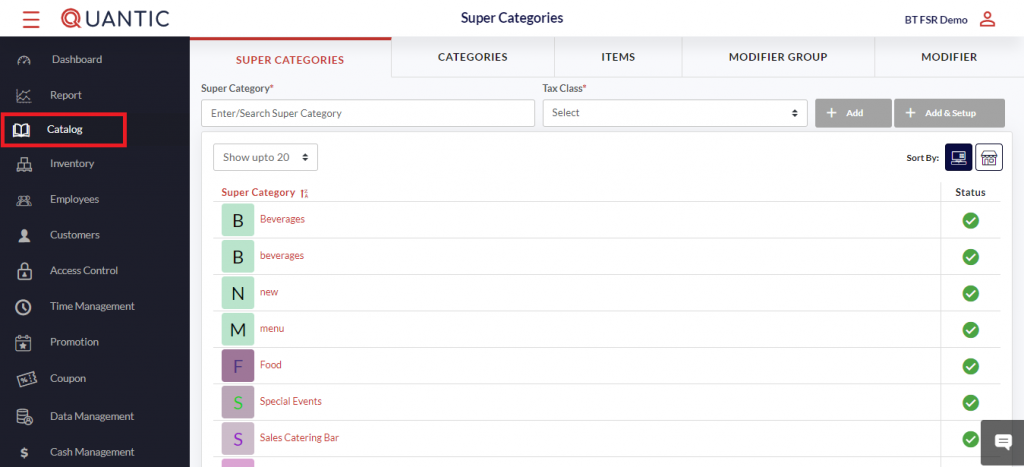
- In this section, our quick and easy steps will include, but not be limited to, Creating Categories, Items, Modifiers, and selecting additional preferences, which include Enabling web ordering.
- Click the left navigation button. From here, you can navigate to and from any section. From the Catalog section, you can create, add, or modify your menu.